Instructions for SL500DC/SL800DC
www.gatexpertstore.com
Manual Control Mode
In order to make sure that the first installation of this product is in good condition, users can
test the opening/closing running under manual control mode. If there are any abnormalities,
please exit the manual control mode and re-adjust the gate, gate opener and the limit
switch.
A. Operation Instruction:
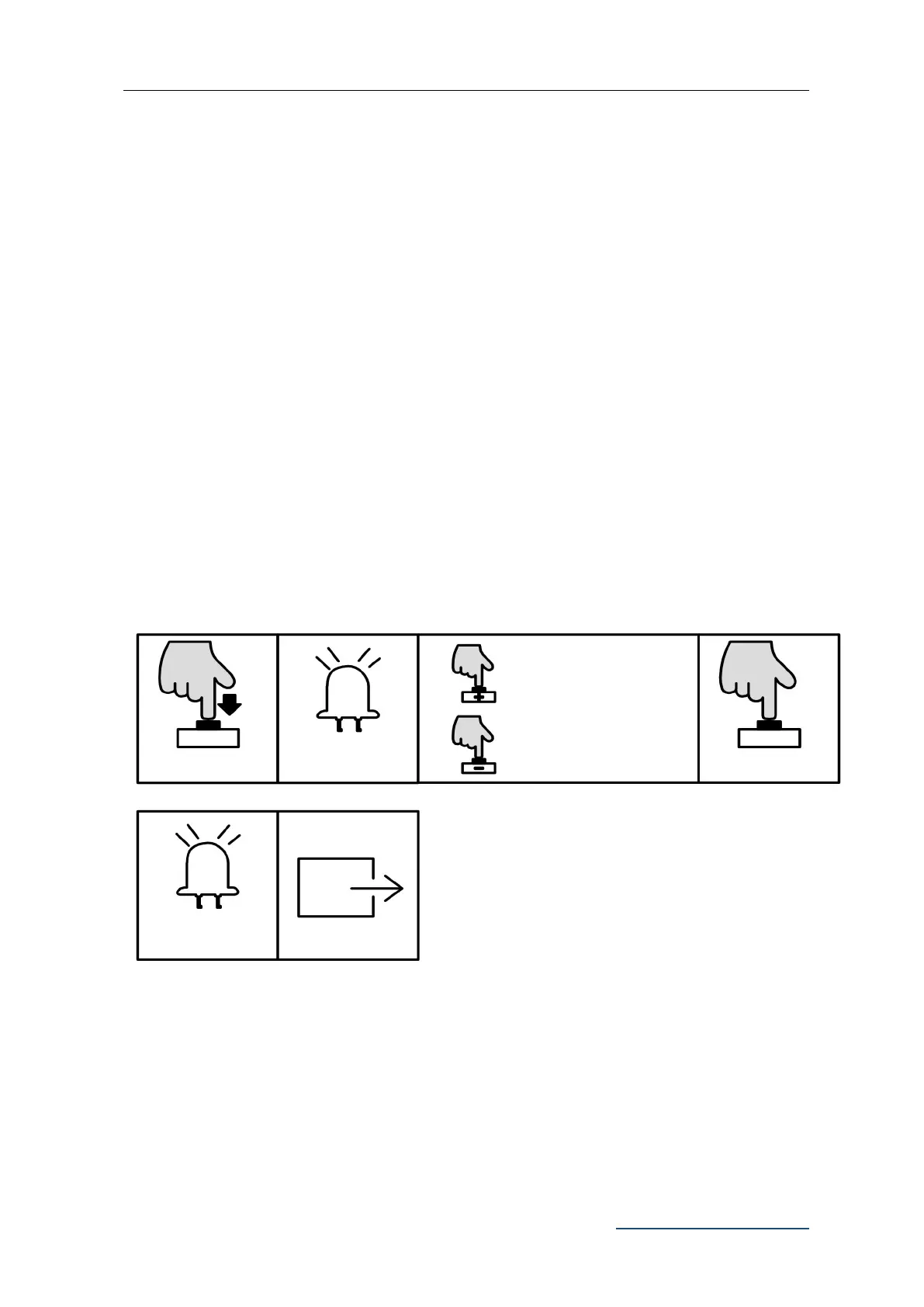
1. Press and hold “SET” button for 3 sec. Indicator light L3 will flicker.
2. Press “+” button to open the gate, then release “+” to stop running; Press “-” to close the
gate, then release it to stop running.
3. Press “PROG” button once to exit the manual control mode. Indicator light L3 will be
off.
B. Operation Graphic Illustration
Note:
1. If there is no operation under the limit switch position setting for 60 sec., system will
automatically exit the setting.
2. If need to exit during setting, press “PROG” once to directly exit.
3. Under manual control mode, if the gate didn’t stop when it arrived at limit switch, please
Press and hold “+” to
open, release “+” to stop
running.
Press and hold “-” to close,
release “+” to stop running.



 To Next Page