Instructions for SL500DC/SL800DC
www.gatexpertstore.com
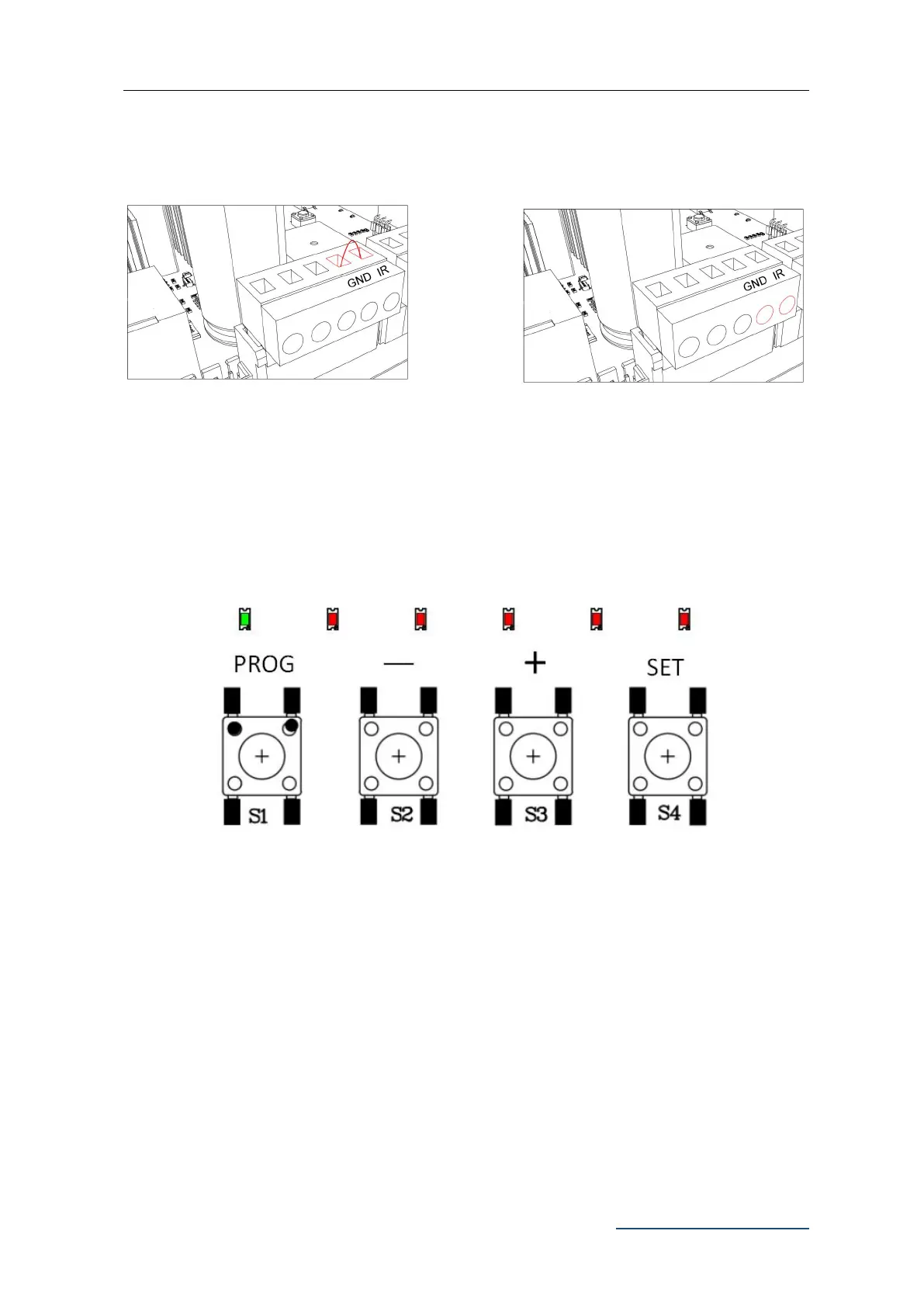
Before Installing Photocells
Power off, then loosen IR and GND ports
on X5 Terminal with a screwdriver.
Remove the short circuit wire
between ports IR & GND on
X5 Terminal.
Figure 22
Operation Interface Instruction
Figure 23
Indicator Lights:
L0 (Green): Indicating the control board working status and menu status.
L1-L5 (Red): Indicating the settings, parameters, errors and battery level.
Set Buttons:
PROG: Enter into or exit the setting menu.
- and +: Function select and parameter adjust.
SET: Choose the selection, confirm the setting.
Note:
Press the setting button for a short while (within 1 sec.) or long press the button (over 2 sec.)
will be for different functions.



 To Next Page