Puma III User Manual
Installation 2-4
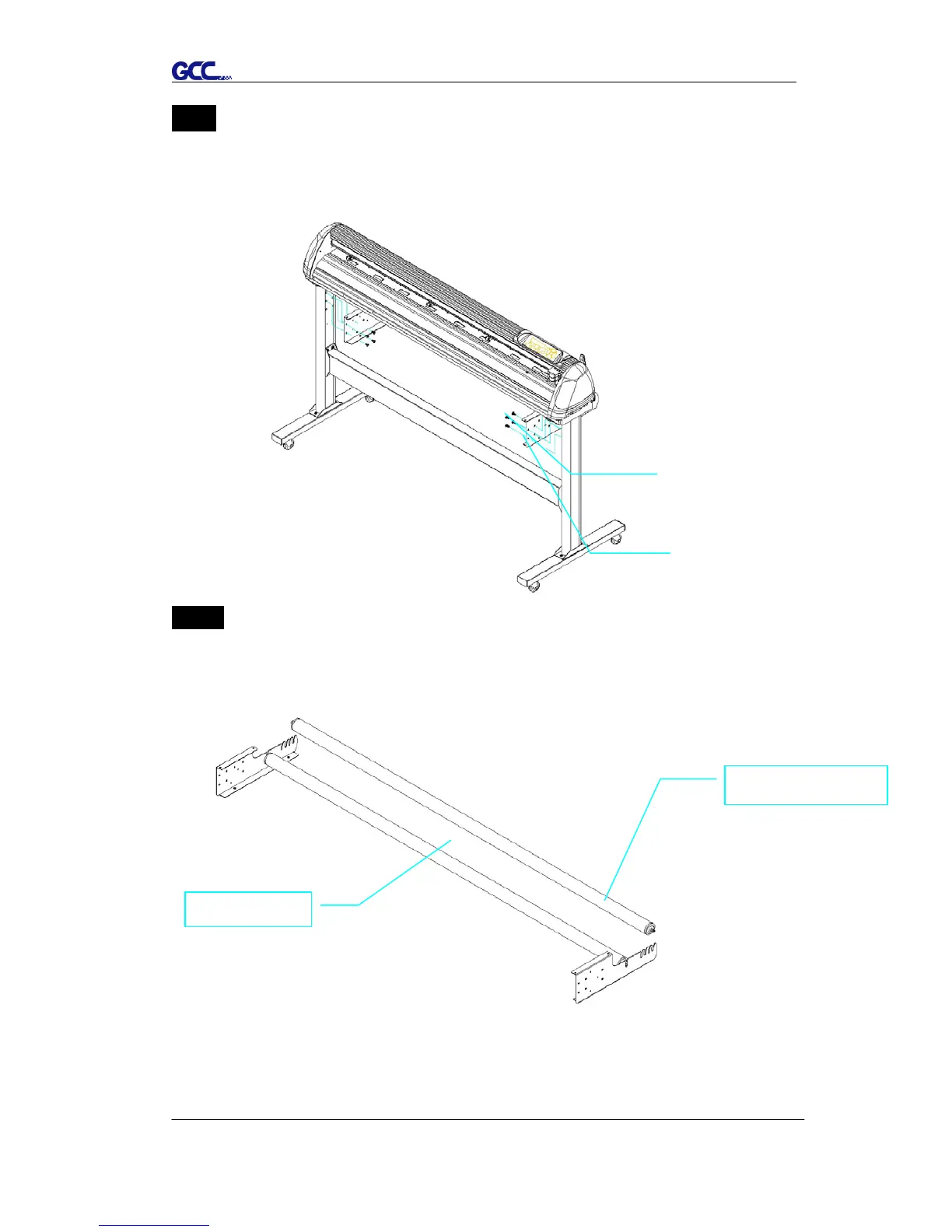
Step 5
Insert the roll holder support with the screws into the holes of the stand, and then
tighten them up as shown in Figure 2-4. You could decide roll holder support’s
position by inserting into different holes.
Step 6
Place two roll holders onto the roll holder support and ensure the white protrusion
is wedged in the groove. (Figure 2-5)














 To Next Page