Puma III User Manual
CorelDRAW Plug-In A-3
Segmental Positioning
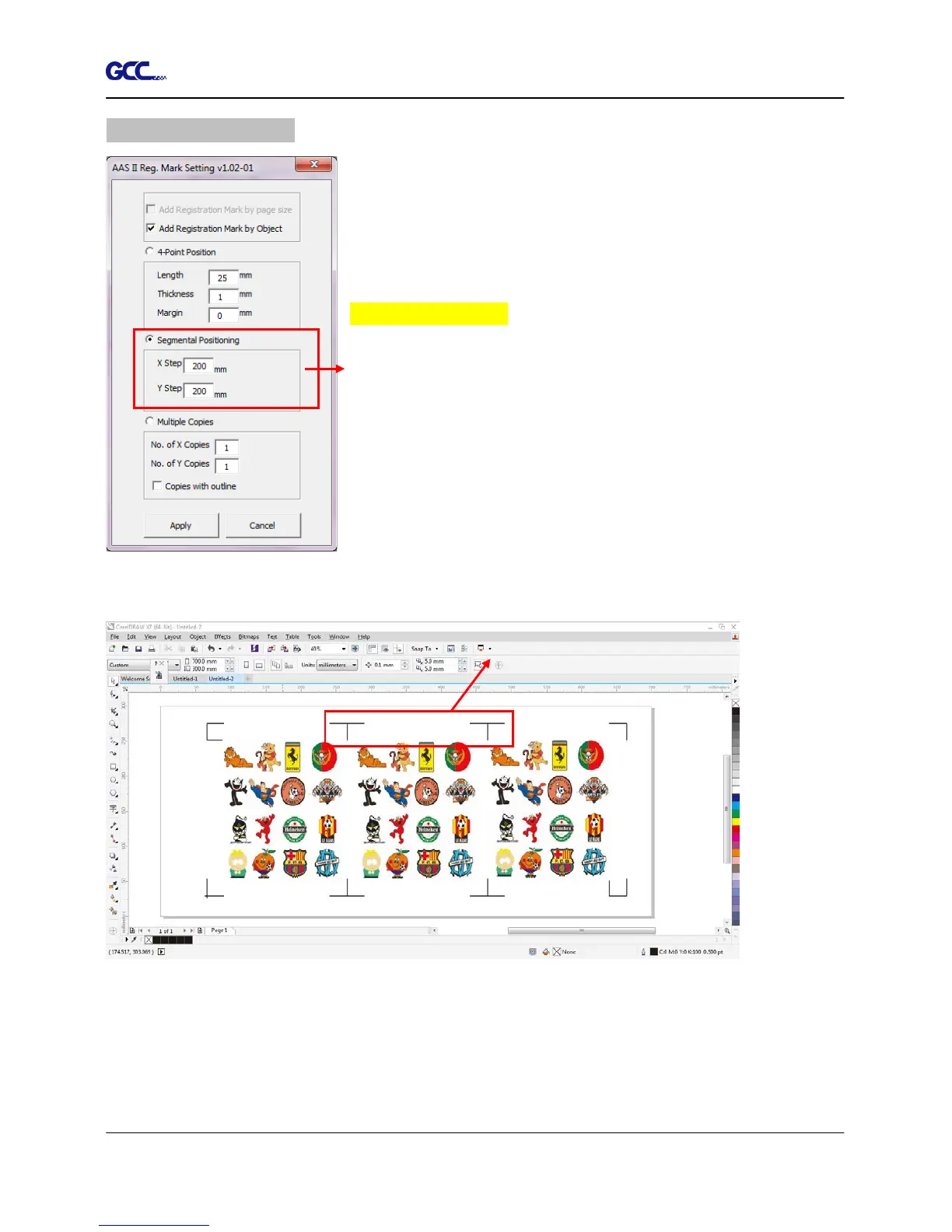
For precise cutting quality, it is suggested to select “Segmental
Positioning” when you are working on an extra long or
large-sized image to increase cutting accuracy.
Segmental Positioning
X Step: The distance of intermediate position on the X axis
Y Step: The distance of intermediate position on the Y axis
Range: 200mm~600mm
Optimized Setting: Less than 500mm
The system will create the as shown in the picture below
Segmental Positioning will be applied to Multiple Copies when the object to be copied is of large
size (with the length or width over 200mm) to increase the accuracy of registration mark
detection.
Figure A3-9
Figure A3-10
Segmental Positioning














 To Next Page