EasyManua.ls Logo

GCC Technologies RX Series - 5. Automatic-Aligning System; 5.1 Introduction; 5.2 AAS Calibrating the System; 5.3 Printer Test

Default Icon
178 pages
Print Icon
To Next Page IconTo Next Page
To Previous Page IconTo Previous Page
Loading...
RX Series User Manual
General Information 1-6
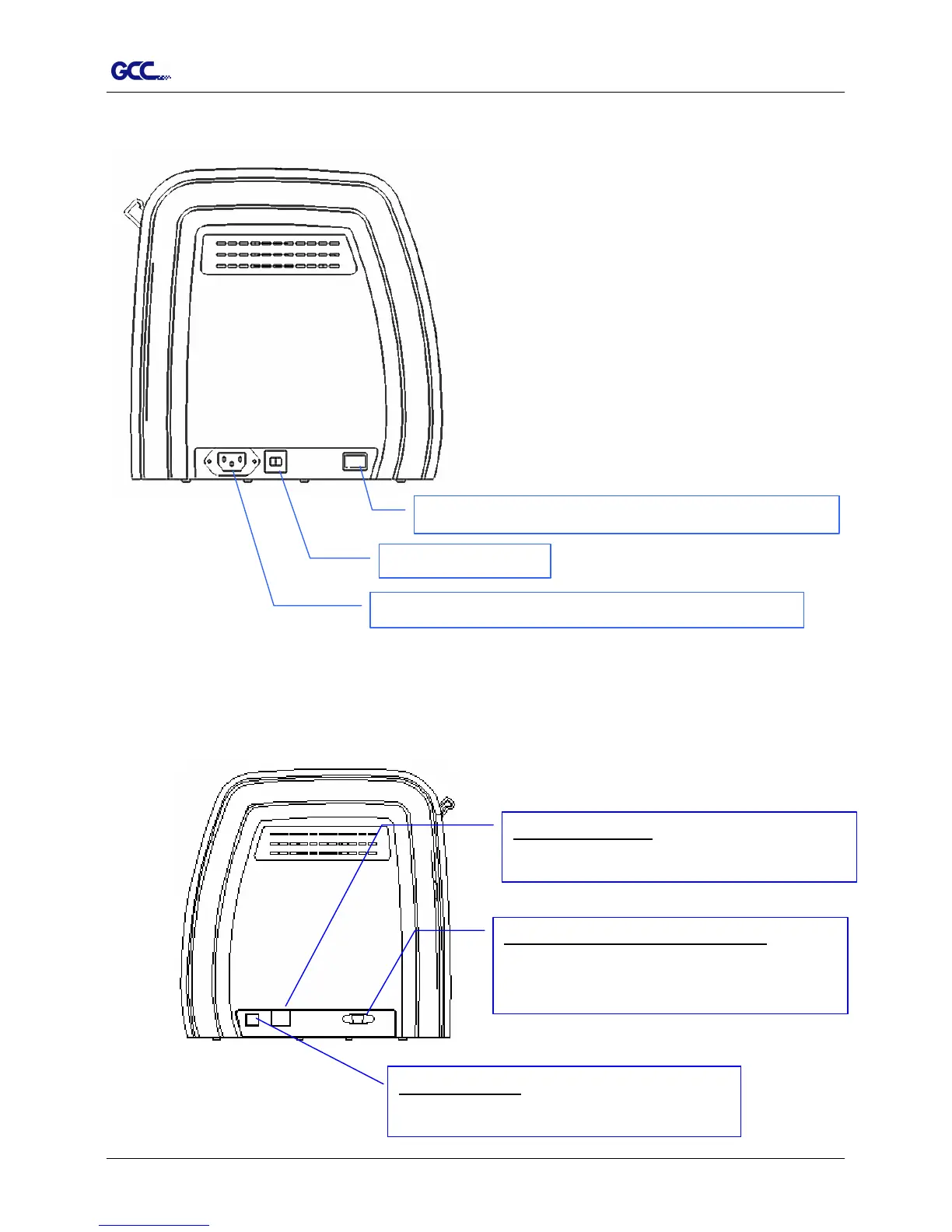
1.4 4 The Left-hand Side (Figure 1-4)
1.4.5 The Right-hand Side (Figure 1-5)
Fuse
3 Amp.
AC Power Connector – used to insert the AC power cord.
Power Switch – On when switches to [I]; Off to [O]
Figure 1-4
Ethernet Connector– used to connect your
computer to a local area network.
Figure 1-5
USB Connector
used to connect the cutting
plotter to a computer through a USB cable.
Serial Interface Connector (RS232C) – used
to connect the cutting plotter to a computer
through a serial interface cable.

Table of Contents

Related product manuals