RX Series User Manual
Installation 2-13
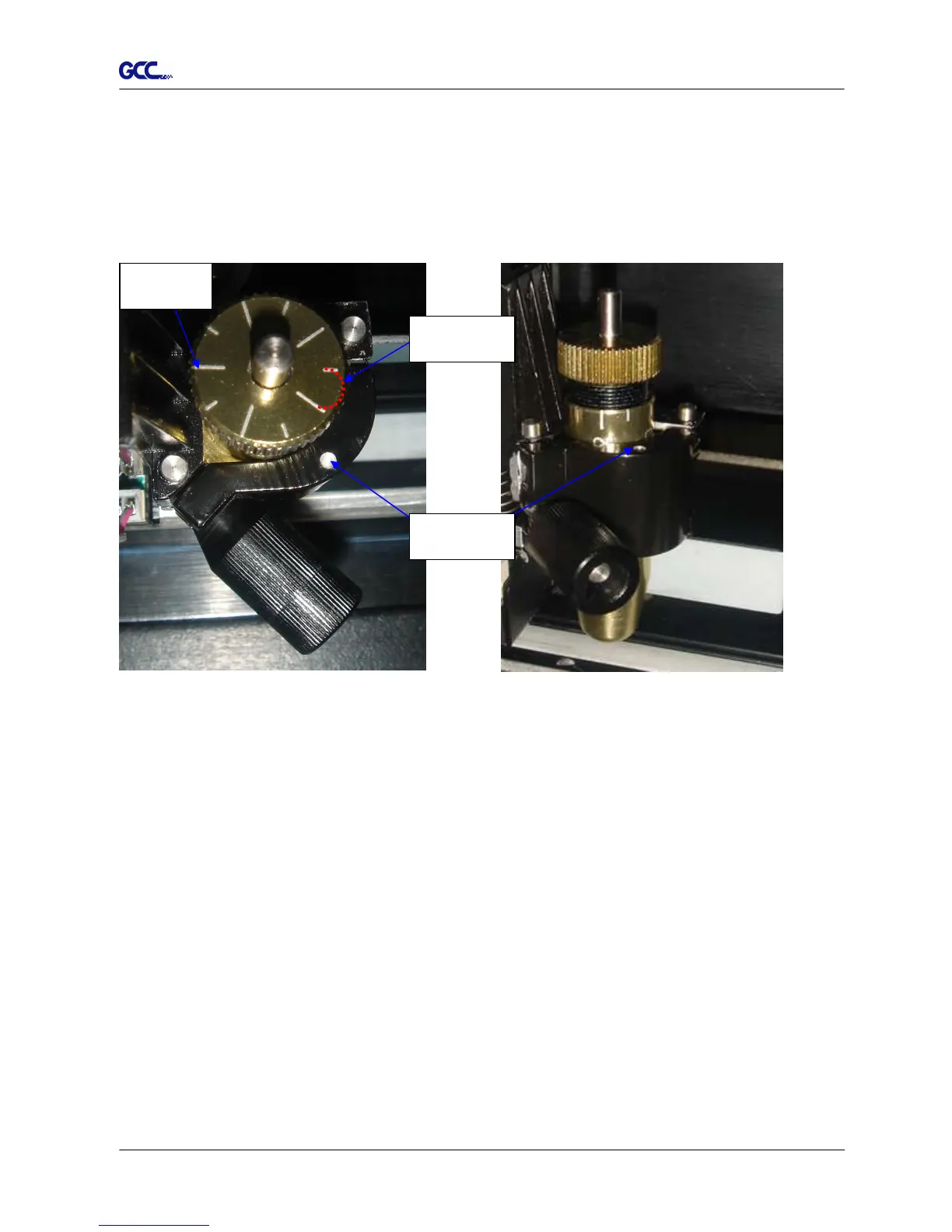
Figure 2-26
Figure 2-27
2.6 Automatic Blade Length Detection
Figure 2.-26 is the new blade holder with a scale and the carriage with a mark. This blade
holder detects blade length automatically and shows how the knob needs to be turned on the
LCM.
There are 10 units on the scale; each unit equals to 0.05 mm, allowing you to adjust the blade length
for 0.00mm-5.00mm (Figure 2-27).
Follow the steps below to adjust the length of the blade:
1. Keep the blade tip within the blade holder before you start adjusting.
2. Align one of the scales on the blade holder to the mark on the carriage
3. Select “Blade Length Adjust” under “CUT TEST” on the LCM, enter the blade length
wished in “Set Length”; test the blade holder first and then test the blade length by
pressing ENTER.
Note: Keep the blade holder at the same position when you perform blade holder and blade
length tests.
Mark
Scale
1 unit







 To Next Page