RX Series User Manual
The Control Panel 3-1
This chapter describes the button operations with the LCM menu flowcharts of RX series. When
the cutting plotter is ready for use as described in Chapter 1 & 2, all functions are under default
parameters.
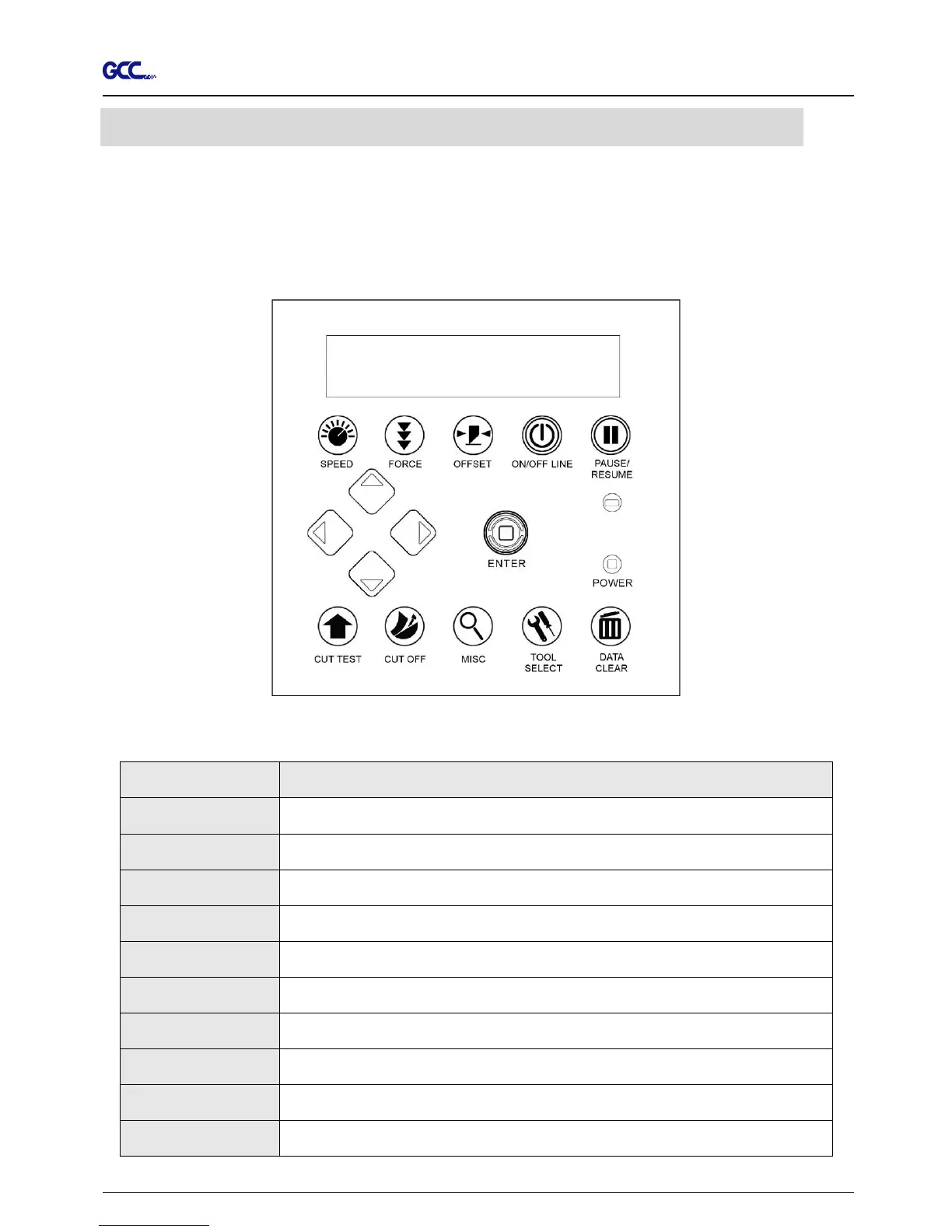
3.1 The Touch Key Panel
< Touch Key Panel on RX series >
Key Function
LCD Screen To display functions and error messages.
Power LED To indicate the power status ( light up: power on; light off: power off )
4 Arrow Keys To move position, select function, or change setting.
ENTER To set item or register the immediately preceding input value.
PAUSE/RESUME
To temporarily halt cutting process or to continue
ON/OFF LINE To switch modes, stop cutting job, or abort changes of settings.
OFFSET To adjust the value of blade’s offset.
FORCE To adjust the value of cutting force.
SPEED To adjust the value of cutting speed and quality.
CUT TEST To perform cutting test on different media.
3. The Control Panel







 To Next Page