RX Series User Manual
General Information 1-7
1.4.6 Pinch roller (Figure 1-6)
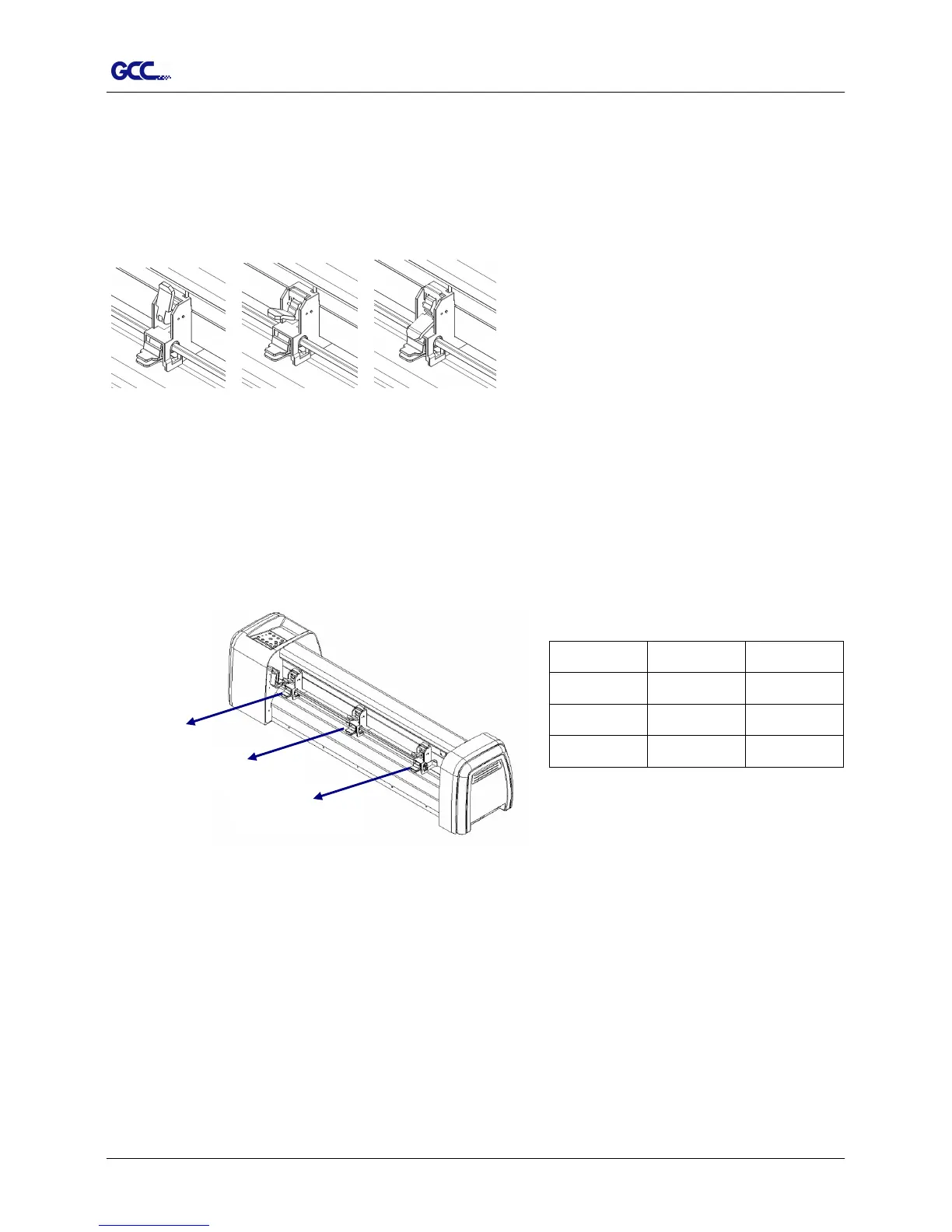
The Multi-Pressure Pinch Rollers give users three pressure settings to better cater to the
different types of media that they are working with, for example, set light hold-down pressure
of the pinch roller in the middle when cutting thin materials such as window tinting film.
Light Medium Heavy
Please note that the pressure of the pinch rollers on the left and right sides should always be
the same or heavier than the pinch rollers in the middle. The pressure of the pinch rollers on
the left and right sides should be set to the same pressure setting. You can use the following
combinations of the pinch rollers. (Table 1-1)
Left side







 To Next Page