RX Series User Manual
Illustrator Plug-In A-6
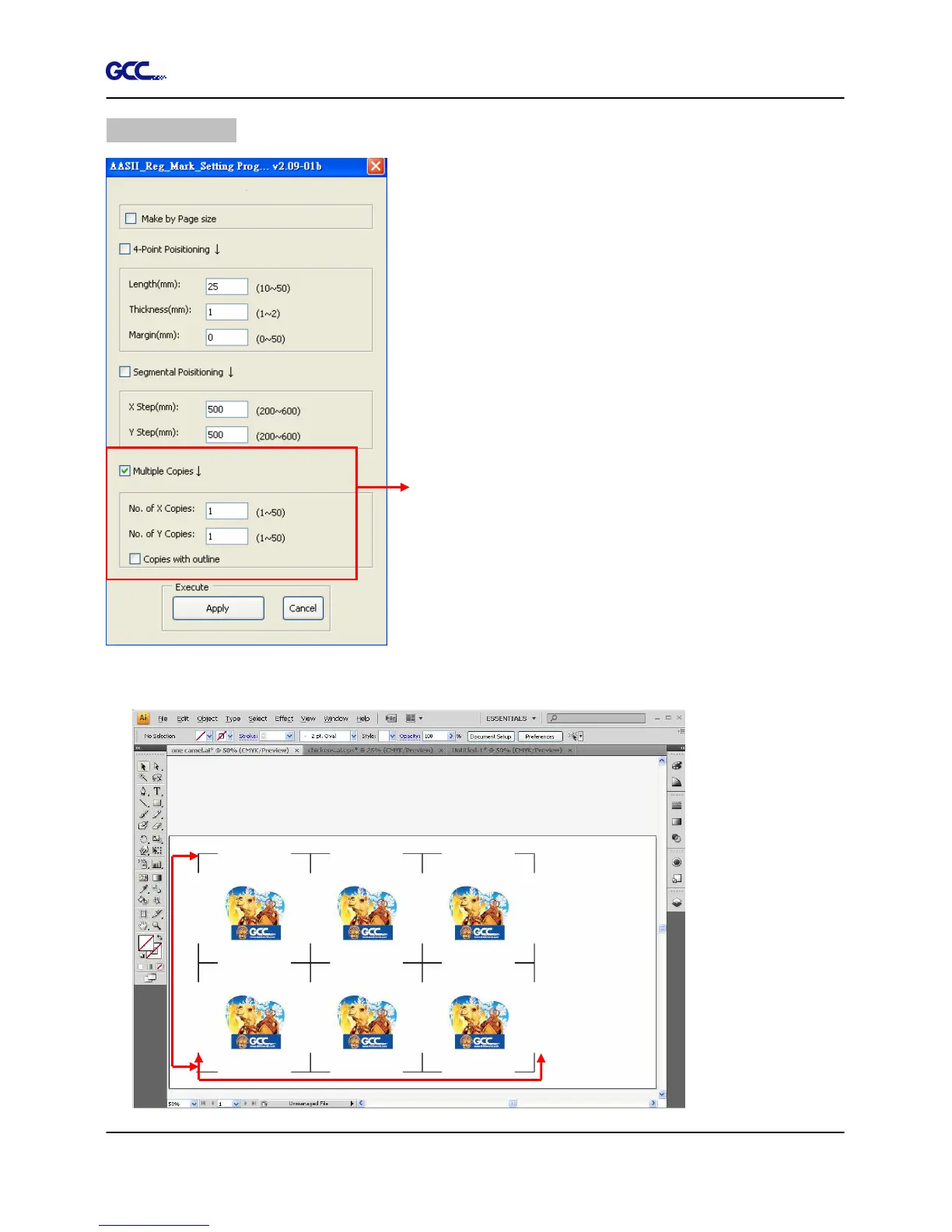
Multiple Copies
It is suggested to select “Multiple Copies” when you
would like to make several copies of one image on your
material to increase cutting accuracy.
Multiple Copies
No. of X Copies: The numbers of copies on X axis
No. of Y Copies: The numbers of copies on Y axis
Range: 1~50. (The more copies you make, the
more time is needed for data transmission.)
Numbers of X Copies * Numbers of Y Copies =
The total amount of image copies
Copies with outline:To show outlines of image
graphics
Margin: Space between marks; must be 0 or ≧ 20,
no negative numbers allowed
The system will create the as shown in the picture below.
X axis
Y axis







 To Next Page