1-12 W650 Wind Generator Protection System GEK-113032A
1.3 ENERVISTA 650 SETUP SOFTWARE 1 GETTING STARTED
1
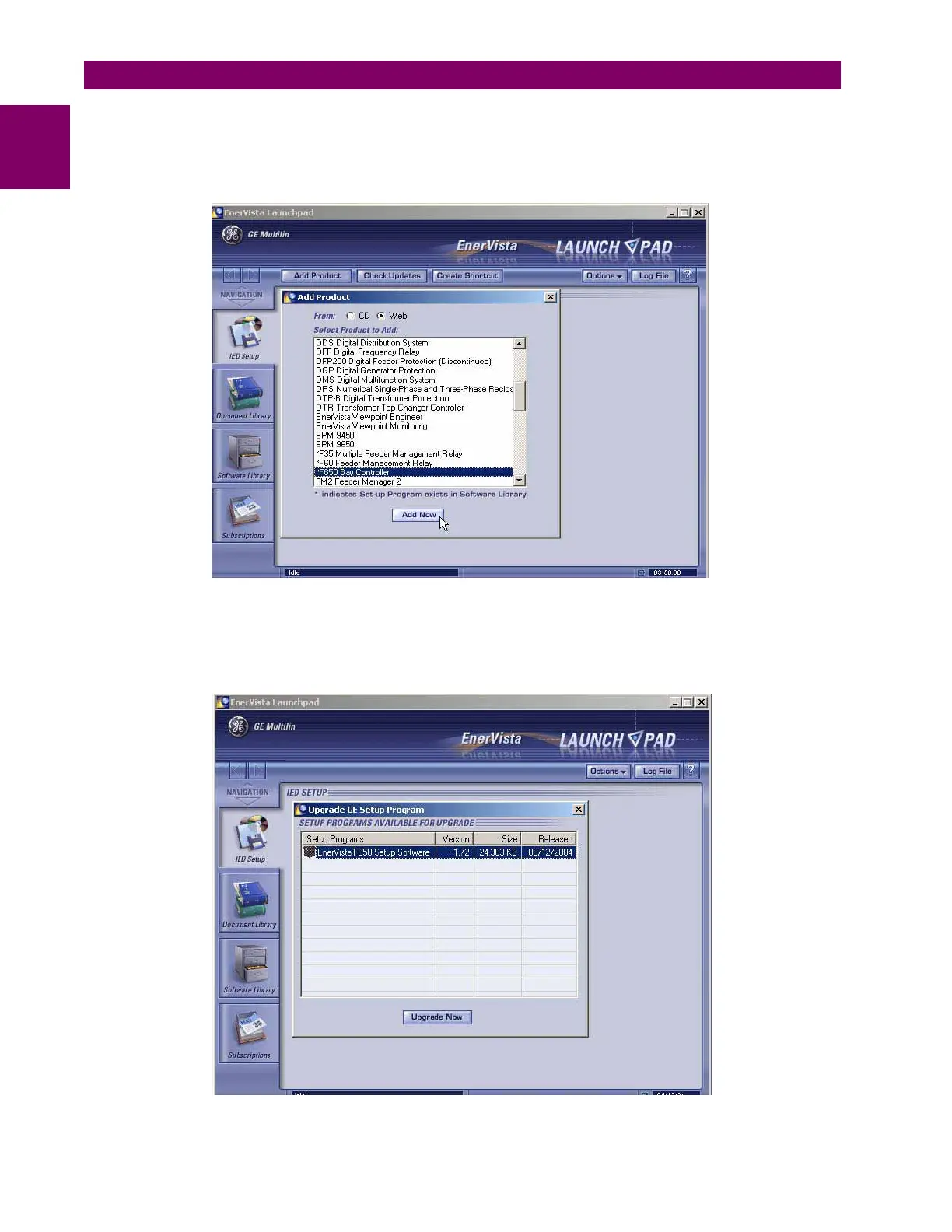
5. In the EnerVista Launch Pad window, click the Add Product button and select the “W650 Wind Generator Protection
System” relay from the Install Software window as shown below. Select the “Web” option to ensure the most recent
software release, or select “CD” if you do not have a web connection, then click the Add Now button to list software
items for the W650.
Figure 1–9: ADD PRODUCT WINDOW
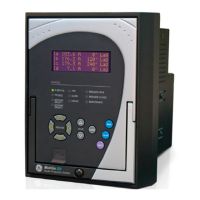
6. If “Web” option is selected, chose the W650 software program and release notes (if desired) from the list and click the
Download Now button to obtain the installation program.
Figure 1–10: WEB UPGRADE WINDOW


 To Next Page