GEK-113032A W650 Wind Generator Protection System 6-17
6 ACTUAL VALUES 6.2 STATUS
6
6.2.7 MODBUS USER MAP
The ModBus User Map consists of a selection of the most
important 256 records in the complete ModBus Map
regarding the application. By selecting these records and
defining the user map appropriately, it is possible to read all
the information included by a single ModBus reading
operation, optimizing the refresh time.
This screen can be accessed at Actual> Status >
ModBus User Map, and it includes all the readings for the
previously configured records in the ModBus memory map.
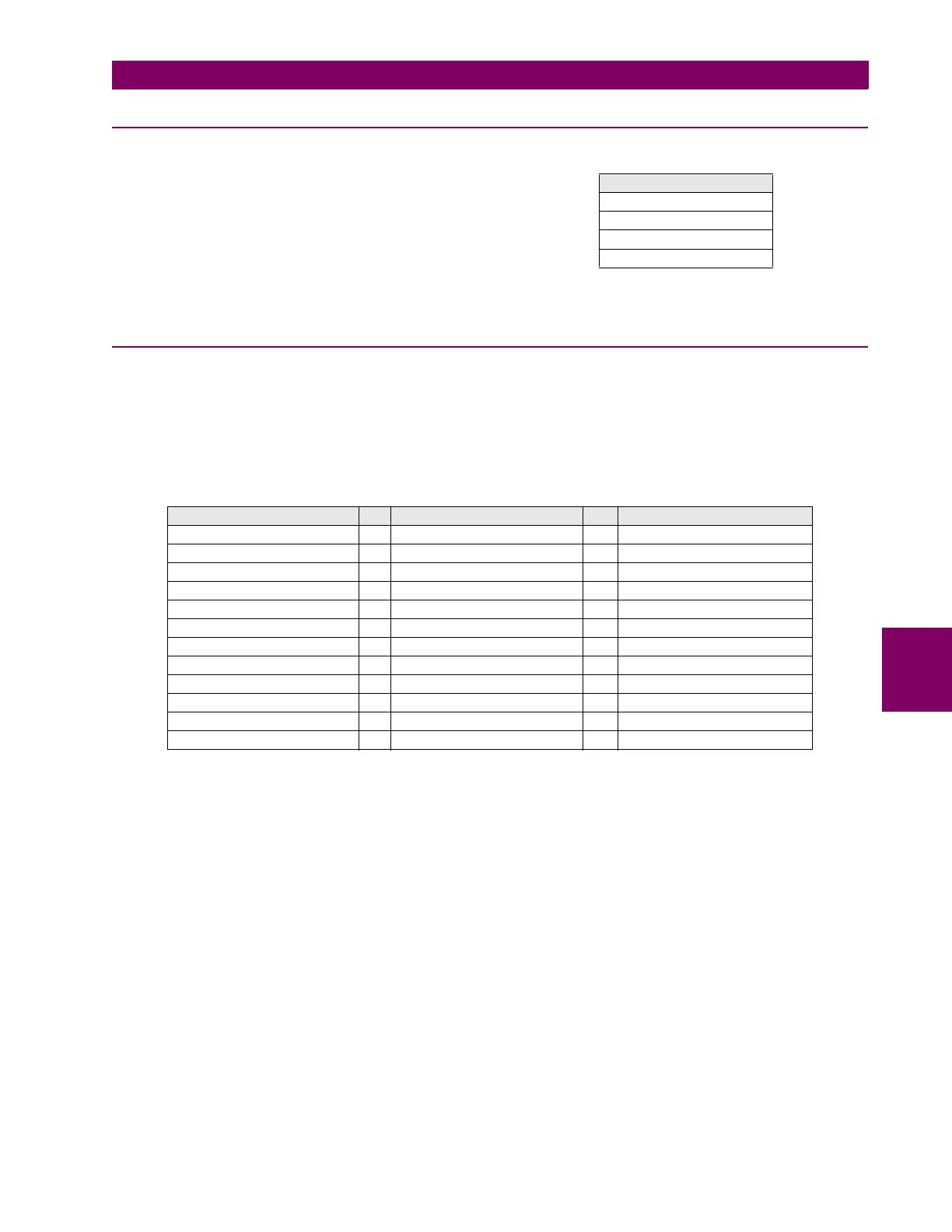
Table 6–19: MODBUS USER MAP ACTUAL VALUES
6.2.8 SWITCHGEAR STATUS
Actual > Status > Switchgear Status
For a better understanding of the represented statuses in
this screen, figure 6.1 shows the available “Switchgear”
modules to be programmed in the W650. Each of them has
a series of inputs/outputs that are the statuses represented
on this screen. Separate signal for each switchgear device
(for 1 to 16).g
Each Switchgear module can be programmed at: Setpoint
> Relay Configuration >Switchgear, and its statuses are
as follows:
Table 6–20: SWITHGEAR STATUS
SWITCH X A INPUT The LED will light up when
the input associated to that
switchgear Contact A is
activated.
SWITCH X B INPUT The LED will light up when
the input associated to that
switchgear Contact B is
activated.
SWITCH X A STATUS Status associated to
Switchgear contact A. It is
activated once the time
required for the Switchgear
module to acknowledge
contact A has expired.
SWITCH X B STATUS Status associated to
Switchgear contact B. It is
activated once the time
required for the Switchgear
module to acknowledge
contact B has expired..
SWITCH X OPEN Lights up when the
associated switchgear is
open
SWITCH X CLOSED Lights up when the
associated switchgear is
closed
SWITCH X 00_ERROR Output that represents the
Switchgear status 00,
considered as abnormal.
SWITCH X 11_ERROR Output that represents the
Switchgear status 11,
considered as abnormal.
MODBUS USER MAP
Address 00
Address 01
…
Address 255
SWITCHGEAR 1 STATUS SWITCHGEAR X STATUS SWITCHGEAR 16 STATUS
SWITCH 1 A INPUT … SWITCH X A INPUT … SWITCH 16 A INPUT
SWITCH 1 B INPUT … SWITCH X B INPUT … SWITCH 16 B INPUT
SWITCH 1 A STATUS … SWITCH X A STATUS … SWITCH 16 A STATUS
SWITCH 1 B STATUS … SWITCH X B STATUS … SWITCH 16 B STATUS
SWITCH 1 OPEN … SWITCH X OPEN … SWITCH 16 OPEN
SWITCH 1 CLOSED … SWITCH X CLOSED … SWITCH 16 CLOSED
SWITCH 1 00_ERROR … SWITCH X 00_ERROR … SWITCH 16 00_ERROR
SWITCH 1 11_ERROR … SWITCH X 11_ERROR … SWITCH 16 11_ERROR
SWITCH 1 OPEN INIT … SWITCH X OPEN INIT … SWITCH 16 OPEN INIT
SWITCH 1 CLOSE INIT … SWITCH X CLOSE INIT … SWITCH 16 CLOSE INIT
SWGR 1 FAIL TO OPEN … SWGR X FAIL TO OPEN … SWGR 16 FAIL TO OPEN
SWGR 1 FAIL TO CLOSE … SWGR X FAIL TO CLOSE … SWGR 16 FAIL TO CLOSE


 To Next Page