9-2 W650 Wind Generator Protection System GEK-113032A
9.2 CHANGING PASSWORDS 9 SECURITY
9
9.2CHANGING PASSWORDS
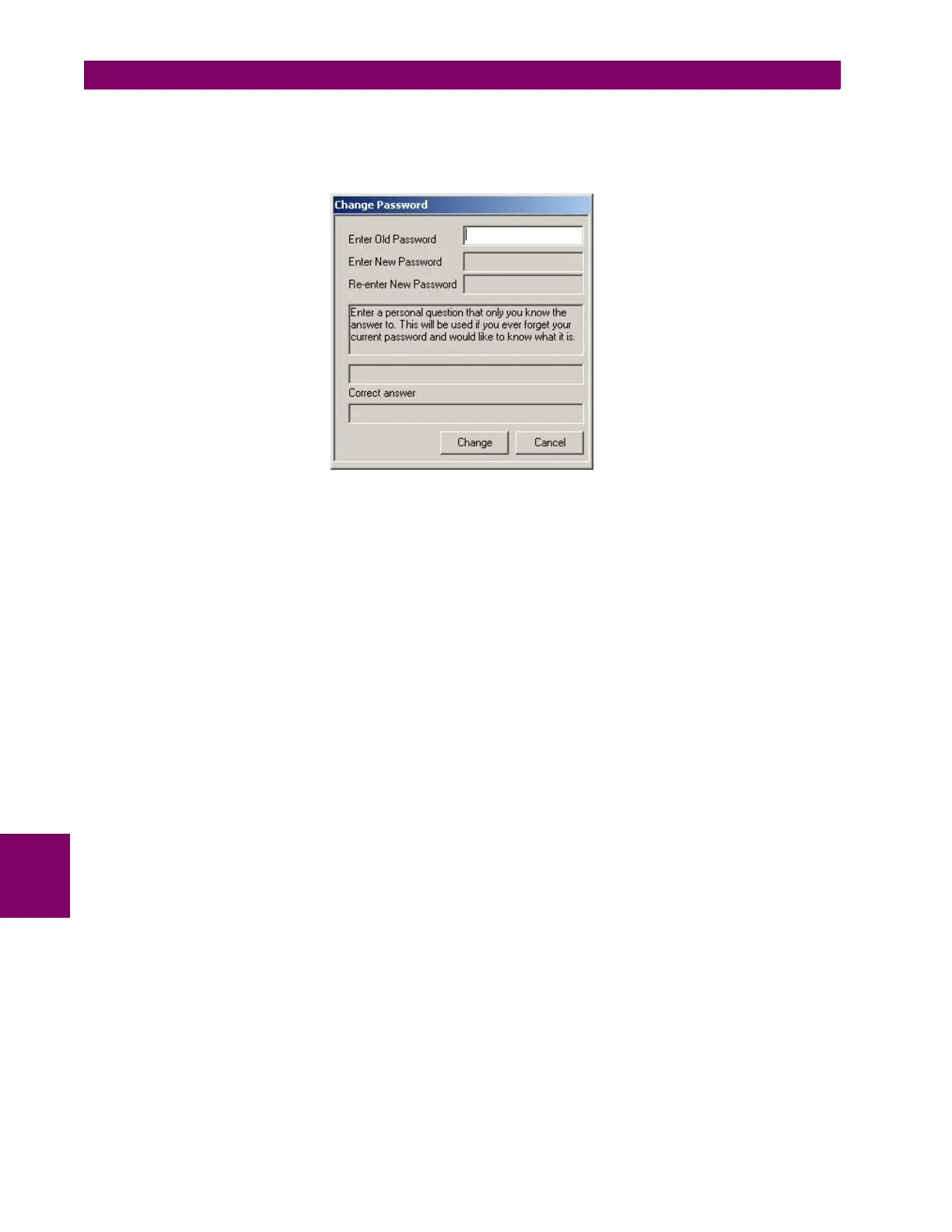
Users will be prompted to change their password after the first successful log in or through clicking Security
from the toolbar, and choose Change Password.
Figure 9–1: CHANGE SECURITY
When the operator enters a new password for the first time, he/she should also enter a personal question that
only they could answer. There is a limit of 50 characters available to enter the personal question. One
example, as in the above diagram, would be "What is my mother's maiden name?". This question will be posed
to the user if the user forgets their password and would like to know what their password was.


 To Next Page