50
4.3.4.2 Printing from TF card
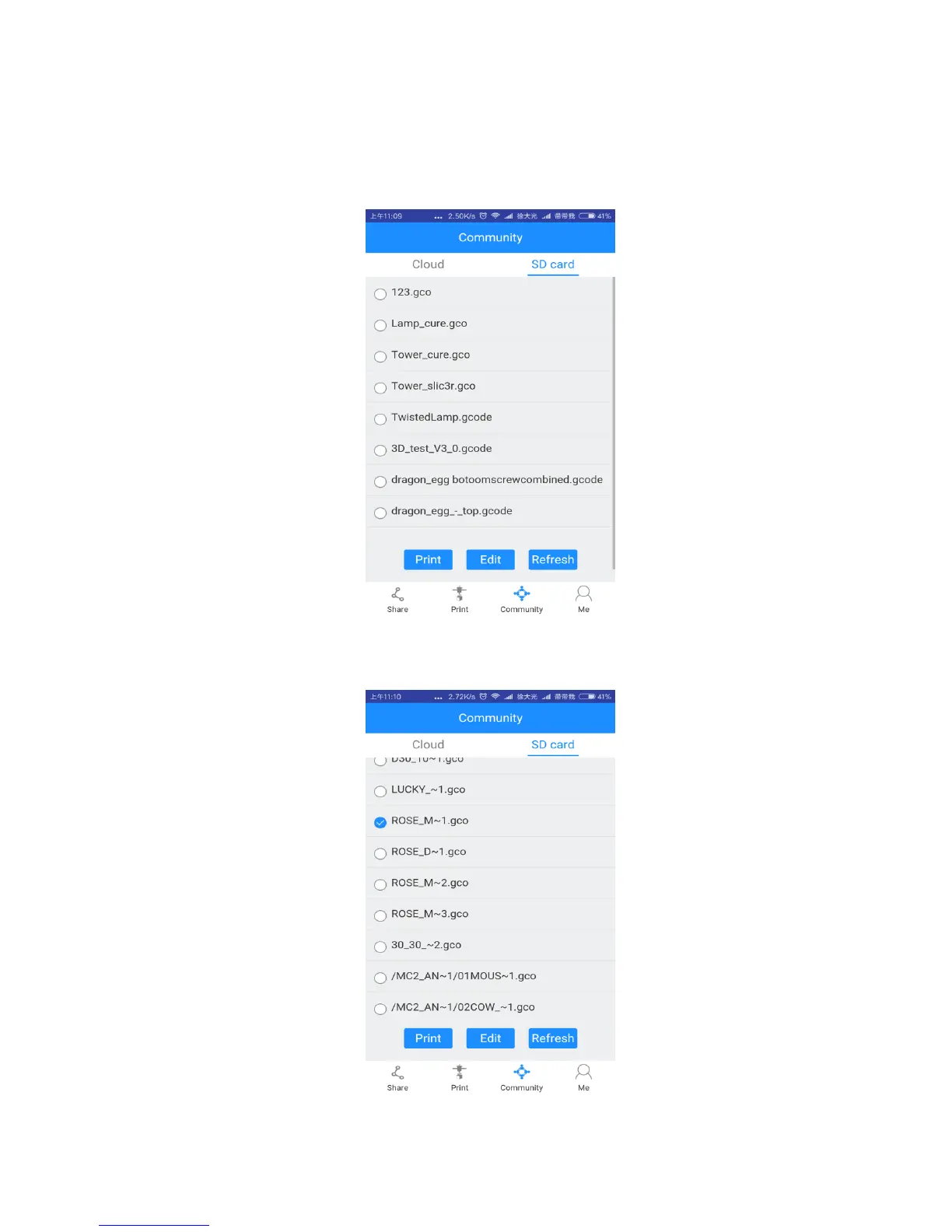
Step 1. Click [Community] to choose [SD card]. The interface will show the G.code files
from A30 TF card. [Refresh] the interface, if there is no response.
Step 2. Choose a model file and click [Print]. The interface will show the printing
progress. After the extruder reaches its target temperature, the printer will start to run.



 To Next Page