26
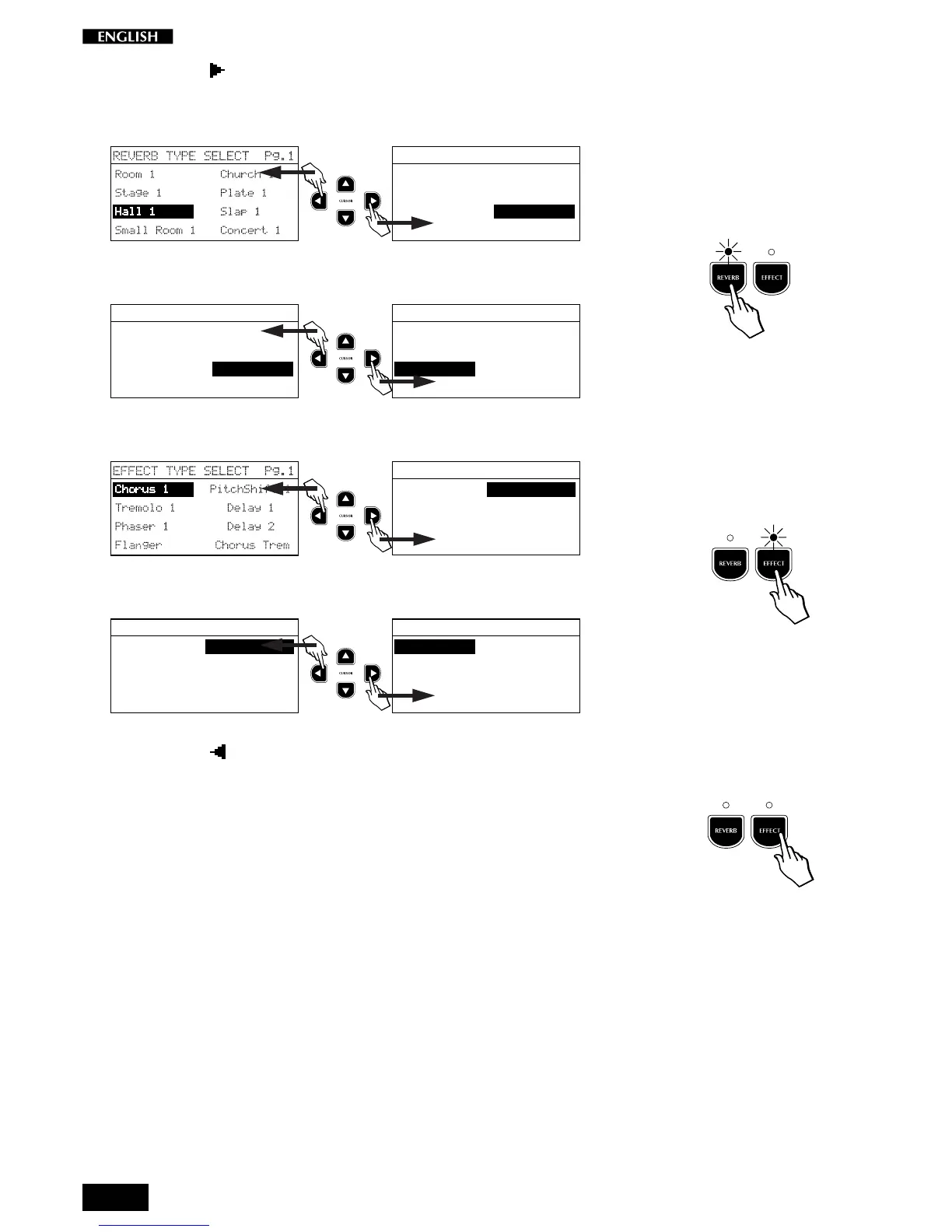
The Cursor button switches from the left column to the right and
changes page from 1 to 2:
Reverb from column to column:
REVERB TYPE SELECT Pg.1
Room 1 Church 1
Stage 1 Plate 1
Hall 1 Slap 1
Small Room 1 Concert 1
Reverb from page to page:
REVERB TYPE SELECT Pg.1
Room 1 Church 1
Stage 1 Plate 1
Hall 1 Slap 1
Small Room 1 Concert 1
REVERB TYPE SELECT Pg.2
Room 2 Church 2
Stage 2 Plate 2
Hall 2 Slap 2
Small Room 2 Concert 2
Effect from column to column:
EFFECT TYPE SELECT Pg.1
Chorus 1 PitchShift 1PitchShift 1
Tremolo 1 Delay 1
Phaser 1 Delay 2
Flanger Chorus Trem
Effect from page to page:
EFFECT TYPE SELECT Pg.1
Chorus 1 PitchShift 1PitchShift 1
Tremolo 1 Delay 1
Phaser 1 Delay 2
Flanger Chorus Trem
EFFECT TYPE SELECT Pg.2
Rotary Tremolo 2
Ensemble 1 Phaser 2
Ensemble 2 Phaser Trem
Chorus 2 Chorus Delay
The Cursor button gives the inverse effect - it switches from the
right column to the left and changes page from 2 to 1.
If you press the Reverb and/or the Effect button again (LED turns off), the
effect is bypassed and the sound plays “dry”.
Whatever changes you make to the Reverb or Effect selections for the
current Preset will be lost when you select another Preset.
Further ahead in the manual you will find instructions regarding how to
save your changes to memory.



 To Next Page