15
Listen to the Demo songs
The RP220 contains a set of demonstration recordings of the internal
sounds.
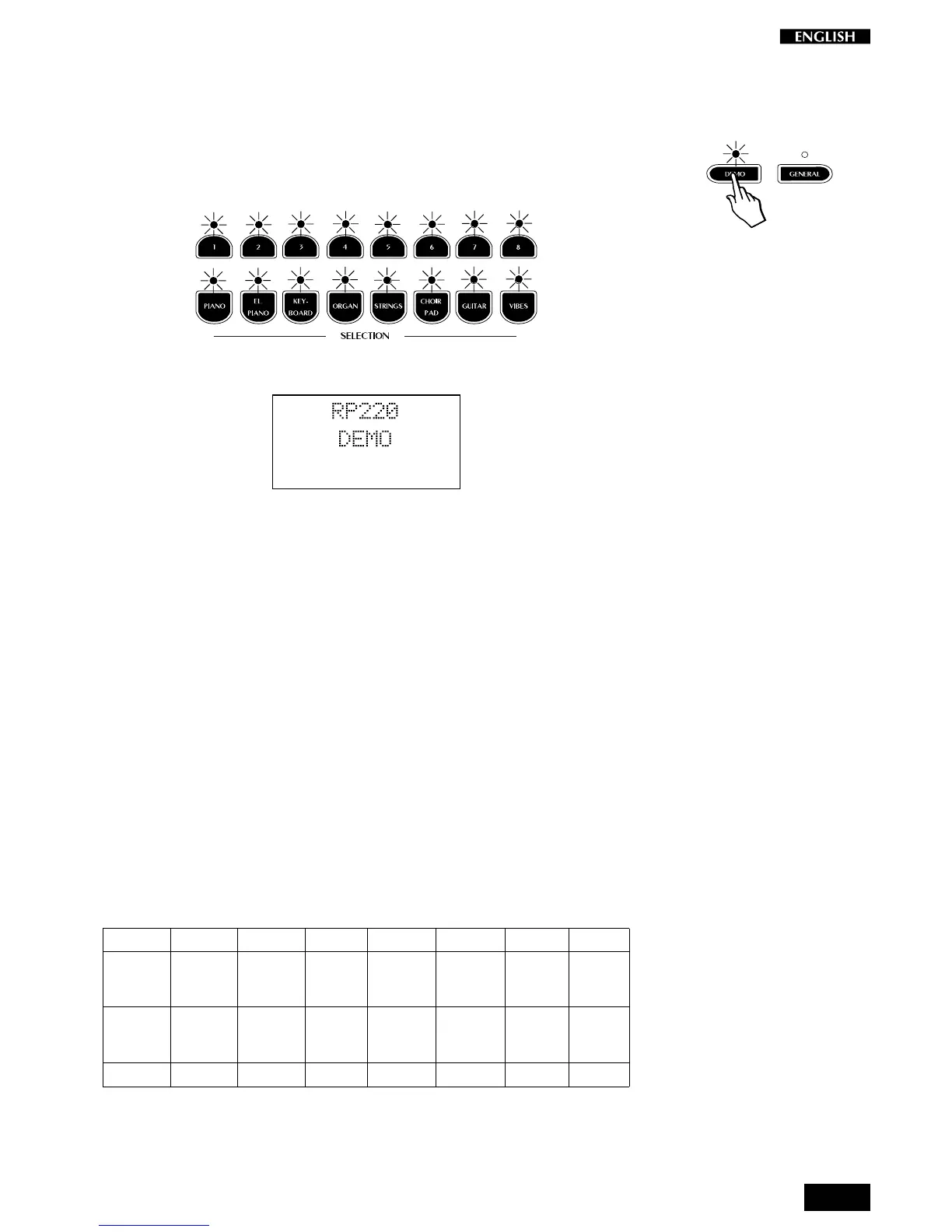
• Press the DEMO button to trigger the playback of the demo songs.
The LEDs of the Selection section start to flash.
The display shows the Demo mode situation for an instant.
Shortly after, the first demo recording of a piano sound starts to play.
When it reaches the end, the second recording starts automatically
and so on.... The title of each recording is shown in the display.
• To stop the playback at any point, press the DEMO button again.
The demonstration sequence consists of 16 recordings, chained to play
as a medley automatically. Each recording corresponds to a demonstra-
tion of the selected Preset of the Selection section.
Select a single demonstration
It is possible to select a single demonstration recording without activating
the chain playback.
1. Press the DEMO button then, while the LEDs of the Selection
buttons are flashing, press one of the Selection buttons to trigger
the playback of the single recording.
The titles of the recordings are listed below:
Demo song list
12 345678
Beethoven Latin Tchaikovsky Walkin’ Bach Clouds Karma Combo
Romance Electric NutRock Jazz Organ Concerto Pad+Fretless Strato Vibes
Piano+String Grand+Bass Celesta + Bass Harpsi+String Bass + Pad + Bass
Chopin Nuances Bach v. Bach Vivaldi Bach 6 string Toccata
Prelude Rhodex Goldberg Fugue Concerto in A– Air Guitar Vibes
Piano solo solo
Harpsichord ChurchOrgan
Strings Choir Alborada solo
Ac.Piano El.Piano Keyboard Organ String Choir/Pad Guitar Vibes
The buttons of the lower row recall single Preset recordings: piano, organ,
etc.. The upper row of buttons recall recordings of the Presets containing
two sections: piano and strings, piano and bass, etc.



 To Next Page