67
Song Library
RP220 contains a large library of well known compositions taken from the
vast repertoire of classical and traditional music.
The songs contained in the Song Library have been recorded with the
scope of being used as study pieces; they contain little or no expression.
These pieces are ideal for the student who can listen to and follow each
composition, slowing down the tempo, muting tracks and activating the
metronome.
Select a sequence from the Song Library
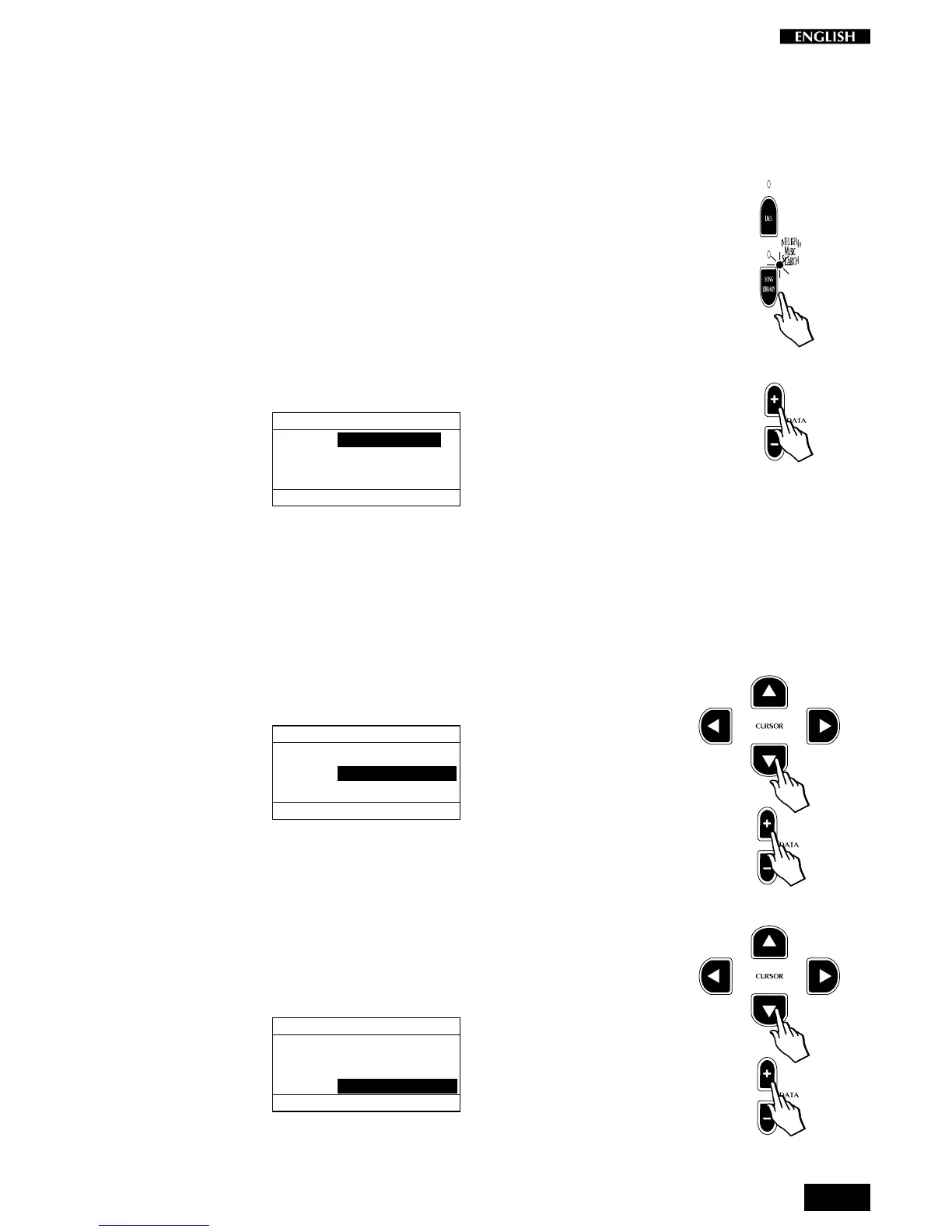
1. Press the Song Library button to access the main Song Library
display.
The LED of the button turns on and the display cursor is shown
positioned on the first parameter: Folder:
SONG LIBRARY
FOLDER: TEACHING
GROUP : CESI_MARCIANO
TITLE : CESI_0001
REPEAT: OFF
2. With the Data +/– buttons you can scroll through the various
categories within the folder (e.g. a composer’s name, a collection,
etc.).
At the same time, the Group and Title fields of the display update
continually according to the Folder selected.
3. Once you have selected a category, pass down to the next param-
eter with the Cursor Down button: Group. This corresponds to a
sub-directory of the selected folder.
SONG LIBRARY
FOLDER: TEACHING
GROUP : CESI_MARCIANO
TITLE : CESI_0001
REPEAT: OFF
4. Use the Data +/– buttons to scroll through the various groups
available inside the selected folder.
At the same time, the Title zone updates with every change of the
Group category.
5. To select a different title within the selected group, move down to the
Title field with the Cursor Down button and use the Data +/– buttons
to scroll the various pieces available.
SONG LIBRARY
FOLDER: TEACHING
GROUP : CESI_MARCIANO
TITLE : CESI_0001
REPEAT: OFF
For a complete list of the pieces contained in the Sound Library,
refer to the Appendix.



 To Next Page