39
8. Damper Pedal Assign (Damp. Assign)
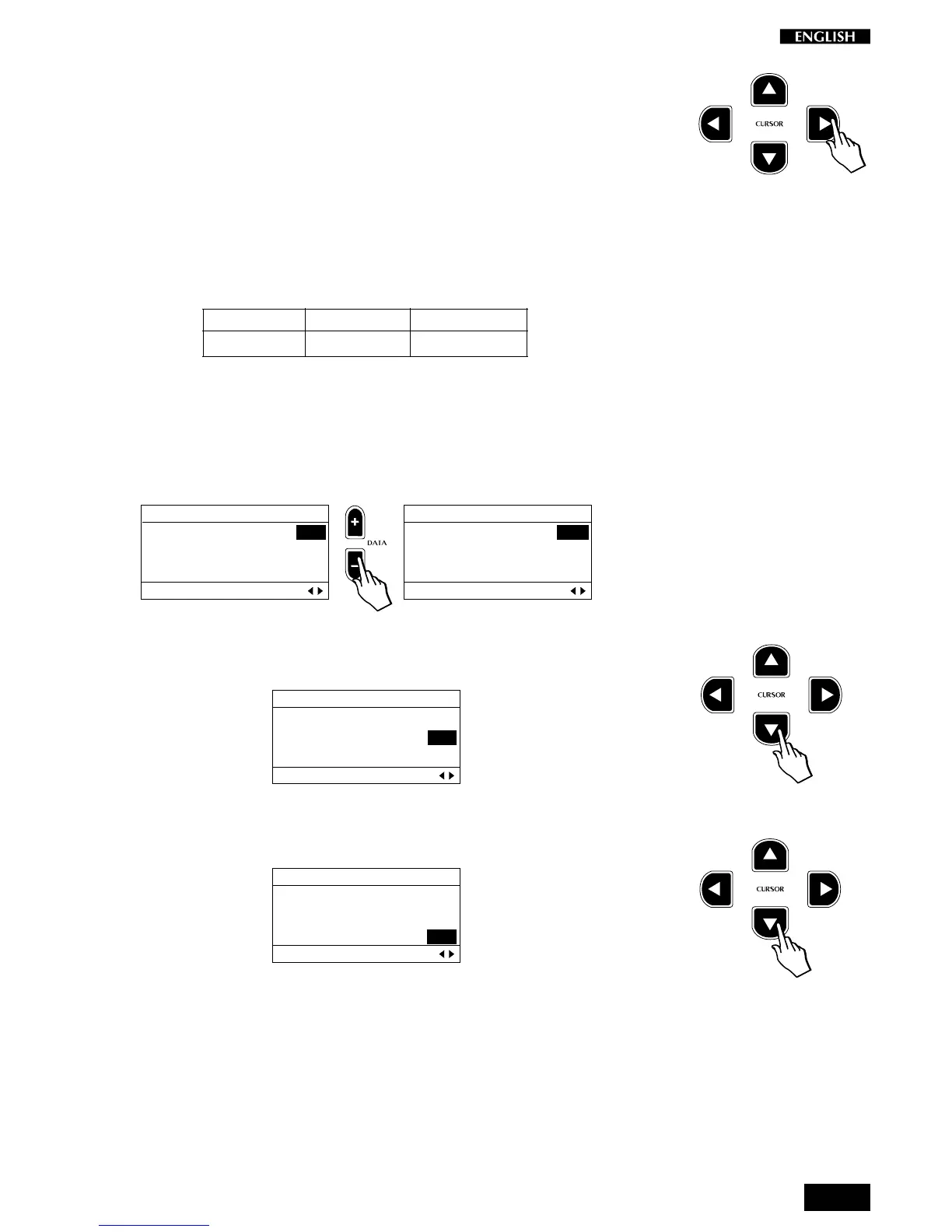
Press the CURSOR RIGHT button to access the Damper Assign function.
This function allows you to change the Damper pedal assignments of the
various Preset sections (Single, Layer or Split).
For example, if you mixed a main Piano and secondary Strings sound
(layered combination) and you wanted the damper pedal to sustain the
piano but not to affect the strings, you would set the Damper Assign On
to the main sound and Off to the Layer sound.
The default setting for this parameter is shown in the following table:
Main Split Layer
On Off On
You can modify the default status for the current Preset section to suit
your needs.
Entering this page for the first time shows the Damper Assignment
corresponding to the main sound. Using the Data – button, the assign-
ment can be set to OFF:
EDIT MENU
MAIN: ON
LAYER: ON
SPLIT: OFF
Damper Assign Pg. 8
EDIT MENU
MAIN: OFF
LAYER: ON
SPLIT: OFF
Damper Assign Pg. 8
To change the setting of the Layer section, press the Cursor Down button
and change the value with the Data +/– buttons.
EDIT MENU
MAIN: ON
LAYER: ON
SPLIT: OFF
Damper Assign Pg. 8
To change the setting of the Split section, press the Cursor Down button
and change the value with the Data +/– buttons.
EDIT MENU
MAIN: ON
LAYER: ON
SPLIT: OFF
Damper Assign Pg. 8
Note: Remember that changes made to the Damper Assign parameter
for the Layer and/or Split sections will only be heard if the corresponding
Layer or Split buttons are active (LEDs on).



 To Next Page