2
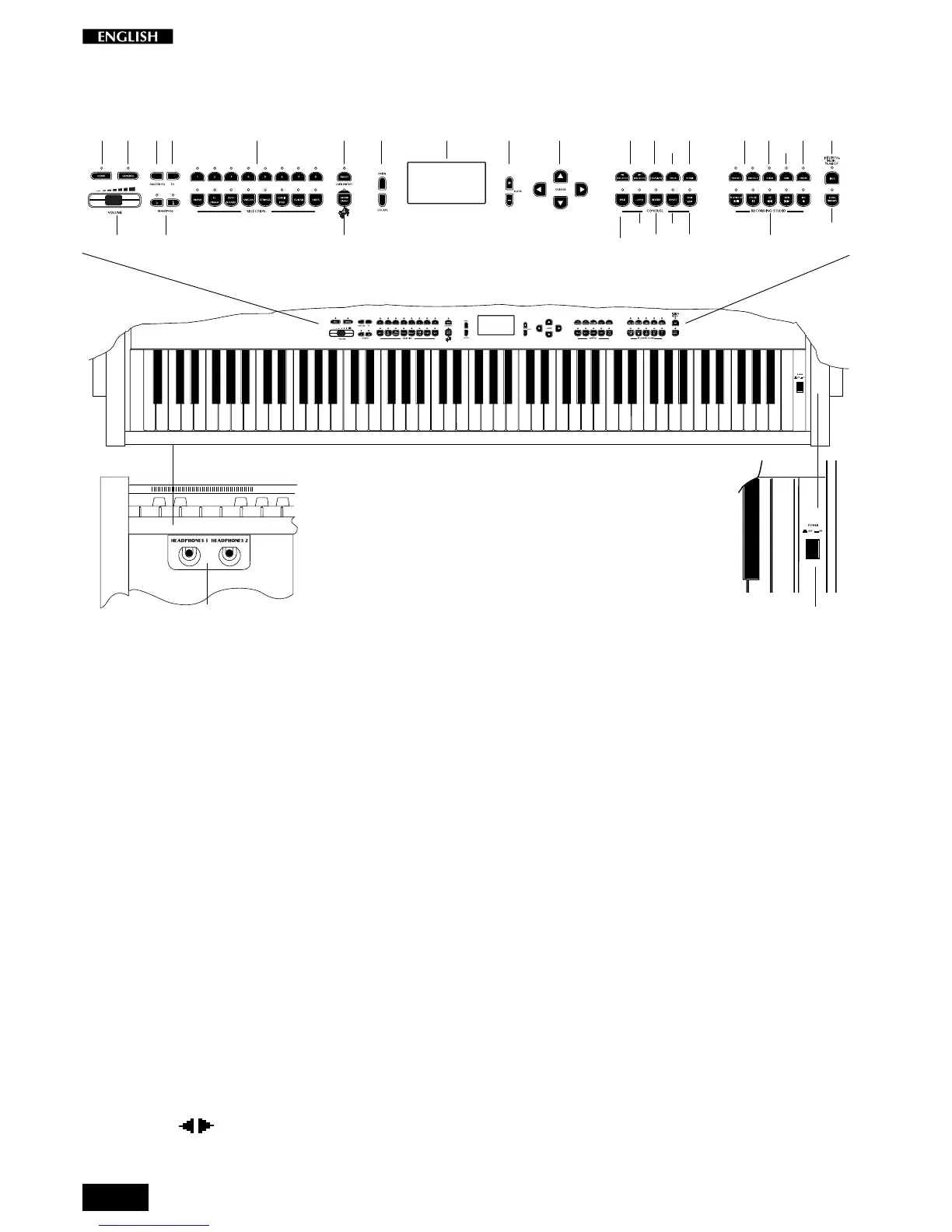
Front panel
1. Demo: Activates the factory programmed demonstration of the internal sounds.
2. General: This button provides access to the functions which affect the instrument as a whole:
Tune, Midi, Piano Frame Level, Display Control, Restore Preset.
3. Volume Slider: Controls the main volume of the instrument.
4. Master Eq.: Selects various amplification response curves.
5. 3D DSP: Activates a sound spatializer control.
6. Transpose #/
b
: Increases (#) or decreases (
b
) the overall pitch of the instrument in half-step
(semitone) increments.
7. Selection: Use these buttons to select Presets and User Presets (single, layer or split sound
combinations).
8. Preset\ This button switches between Preset selection mode and User Preset selection
mode.
9. GrandPiano: Press this button to select the GrandPiano Preset which instantly recalls the
GrandPiano sound across the entire keyboard.
10. Enter/Escape: Enter confirms entered data in edit situations and Escape exits from an edit menu.
11. Graphic Display: 128 x 64 pixel graphic display, backlit.
12. Data +/–: These buttons adjust values shown in the display when using programmable
functions.
13. Cursor: Use these buttons to step through the various functions of the Edit menus and scroll
through the various pages.
14. Balance / : These buttons adjust the volume balance between two sounds in either Layer or
Split modes.
42187111214 28
963
3130
15
16
18
29
User Preset:
5 10 13 2317 24
25
27
26
19
20
21
22



 To Next Page