32
3. Section Transpose
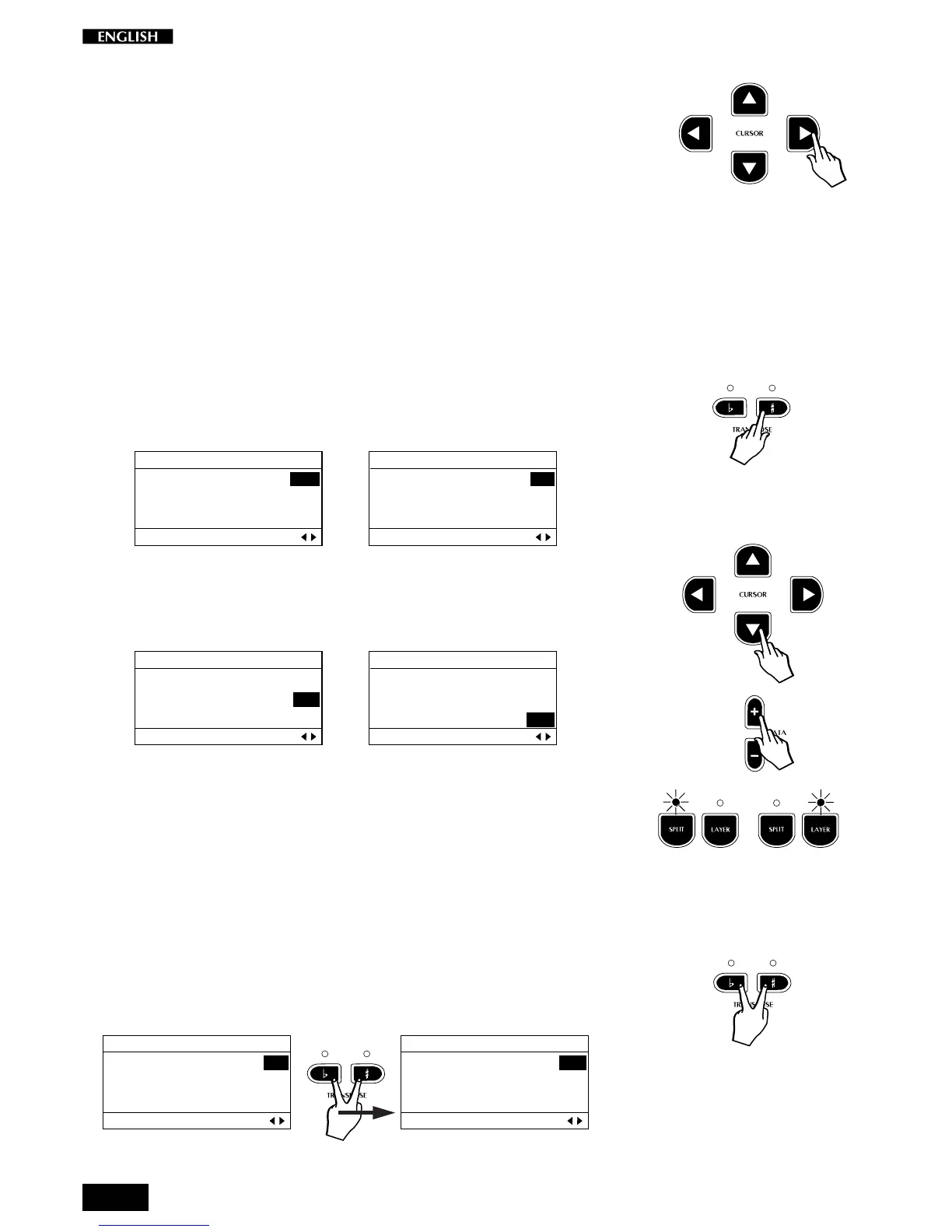
Press the CURSOR RIGHT button to pass to the Section Transpose
function. This function is useful for “octave shifting” when using a Split or
Layer Preset. An octave shift is obtained by setting the transpose value
to – 12 (one octave lower than normal) or +12 (one octave higher than
normal). A maximum Transposition of + 24 or – 24 semitones (2 octaves)
can be obtained. A section transpose setting affects the individual Sound
Programs of the current Preset, not the instrument as a whole (as with the
Transpose buttons).
The pitch of the currently displayed sound can be transposed using the
DATA + or – buttons. To raise the pitch, use the Data + button. To lower
it, use the Data – button.
The display examples below show section transpose settings for the Main
sound of one semitone below standard pitch (a) and one semitone above
(b), indicated by the note symbols C=B and C=C#:
a) b)
EDIT MENU
Main : C=B -1
Layer : C=C 0
Split : C=C 0
Section Transpose Pg. 3
…
EDIT MENU
Main : C=C# 1
Layer : C=C 0
Split : C=C 0
Section Transpose Pg. 3
To change the pitch of the Layer or Split section, select the section with
the Cursor Down button and use the Data +/– buttons as already
described:
EDIT MENU
Main : C=B -1
Layer : C=C 0
Split : C=C 0
Section Transpose Pg. 3
…
EDIT MENU
Main : C=B -1
Layer : C=C 0
Split : C=C 0
Section Transpose Pg. 3
Note: Remember that the Pitch changes made to the Layer and/or Split
sections will only be heard if the corresponding Layer and Split buttons
are active (LEDs on).
Reset Section Transpose
While you are still in the Section Transpose page, you can reset the pitch
of the currently selected sound to the standard pitch (C=C) by pressing
both TRANSPOSE # and
b
buttons together.
EDIT MENU
Main : C=C# 1
Layer : C=C 0
Split : C=C 0
Section Transpose Pg. 3
EDIT MENU
Main : C=C 0
Layer : C=C 0
Split : C=C 0
Section Transpose Pg. 3
Note: It is also possible to use the
panel Transpose b/# buttons to change
the pitch of the currently selected sec-
tion.



 To Next Page