44
1
2
you make some changes to a Preset, the modified version will be
stored to the equivalent location of the User Preset memory location
(as in the example explained above).
Store the modified Preset to a different location with the same name
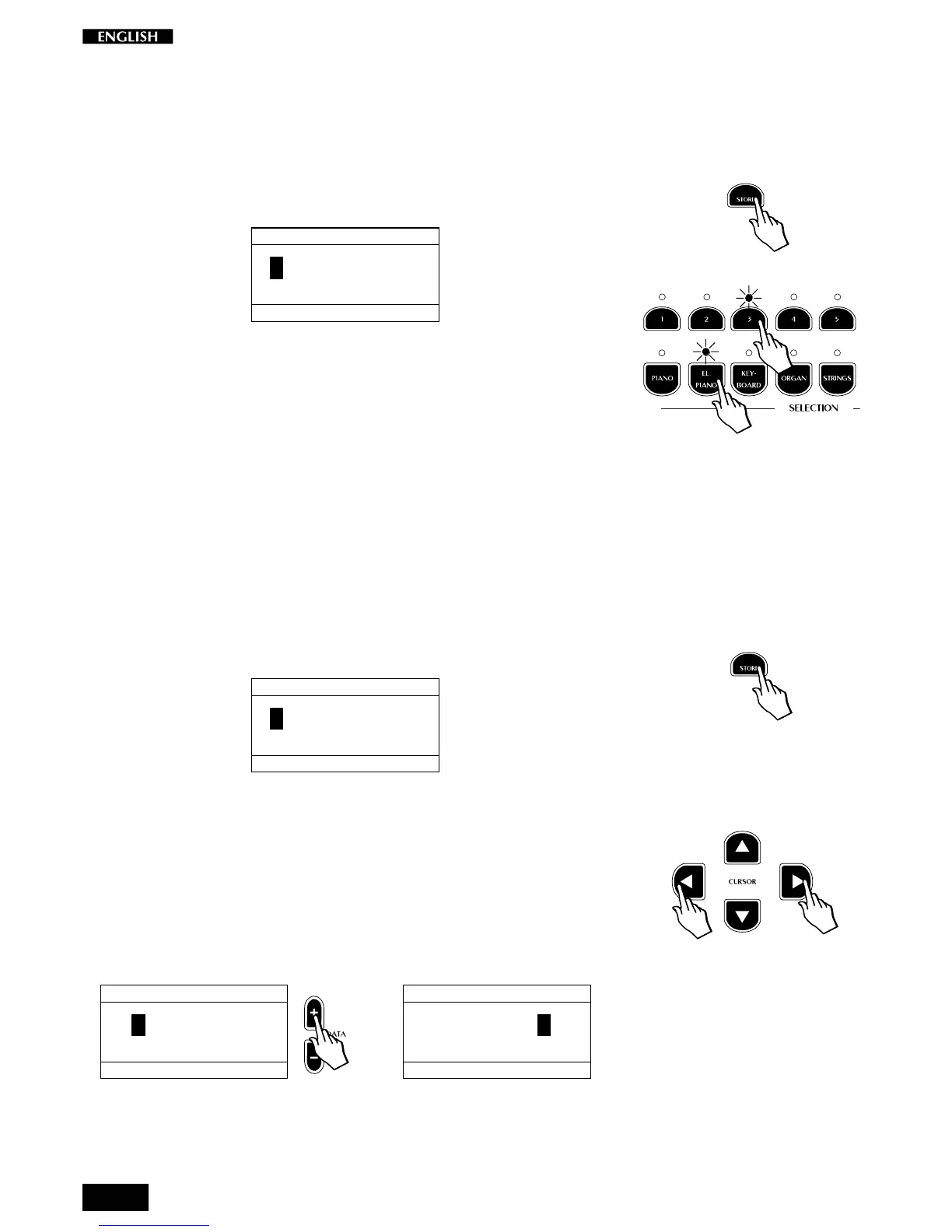
3. After pressing Store, simply press any button corresponding to a
different location.
STORE PRESET
GR.:PIANO Sel: 1
GRAND PIANO
-----------
You can choose to select either;
a different Preset button (store to the same Group location), or;
a different Group button (store to the same Preset location of a
different Group button); or;
a different Group button and Preset button (as in the example
opposite).
If you want to cancel the Store operation without saving, simply
press STORE again while the LEDs are still flashing.
Change the name of the Preset
It is possible to store your new Preset with a different name.
1. After making your changes, press the STORE button.
The Store Preset display is shown:
STORE PRESET
GR.:PIANO Sel: 1
GRAND PIANO
-----------
2. Now, using the Cursor Left/Right buttons and the DATA +/– but-
tons, you can change the name of the displayed Preset.
In this condition, the first character of the Preset name is active for
a change. The Cursor Right button moves the cursor to the next
character position on the right, while Cursor Left moves it to the left.
The DATA + button selects the letters of the alphabet at the cursor
position in increasing order (A, B, … Y, Z) while the DATA – button
selects in reverse order.
STORE PRESET
GR.:PIANO Sel: 1
MYAND PIANO
-----------
…
STORE PRESET
GR.:PIANO Sel: 1
MY PIANO
--------
3. Once you have written a new name for the User Preset, select its
location in the User Preset memory slots as described above.
Related subjects: General menu:
Restore Preset, Midi Dump menu.



 To Next Page