38
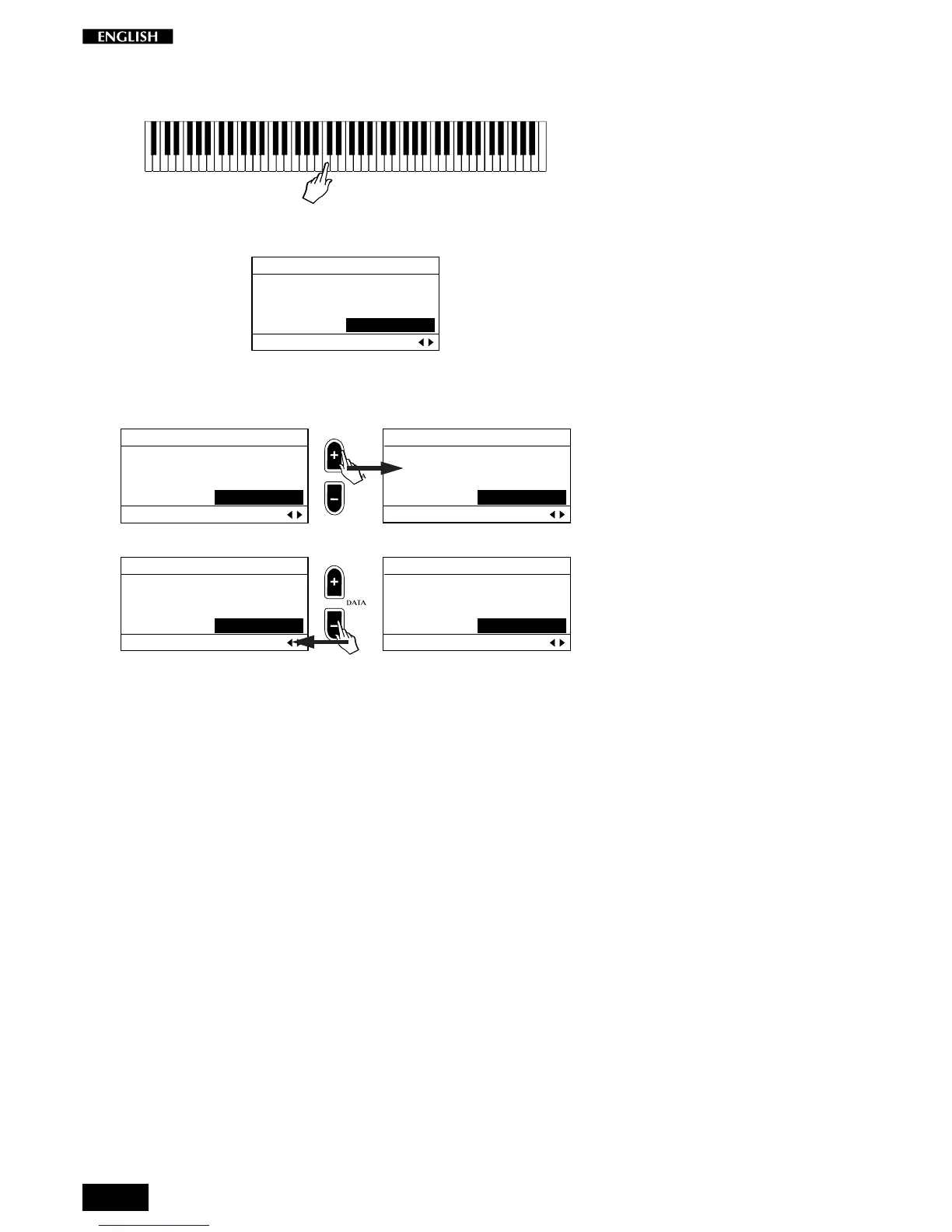
Once you have selected the User option, press a key on the keyboard
corresponding to the note you wish to retune (in this example C4).
The display “captures” the key that you played:
EDIT MENU
Equal Meantone
Piano1 Kirnberger
Piano2 User C4=0
Mictrotuning Pg. 7
You can now repeatedly play the same key and adjust its tuning with the
DATA +/– buttons.
EDIT MENU
Equal Meantone
Piano1 Kirnberger
Piano2 User C4=0
Mictrotuning Pg. 7
EDIT MENU
Equal Meantone
Piano1 Kirnberger
Piano2 User C4=1
Mictrotuning Pg. 7
EDIT MENU
Equal Meantone
Piano1 Kirnberger
Piano2 User C4=-1
Mictrotuning Pg. 7
EDIT MENU
Equal Meantone
Piano1 Kirnberger
Piano2 User C4=0
Mictrotuning Pg. 7
When you have tuned the note to your requirement, press another key
and proceed as before.
When you have finished tuning all the notes you need of the scale, press
the Perf. Edit button to escape the edit and store your User scale by using
the Store function described further ahead.
Note: The User Microtuning scale is one only; it is not possible to program
a different User scale for each Preset.
If you want to restore the user tuning to the factory setting (all note values
= 0, corresponding to the Equal scale), you can use the Restore Tuning
function under the General button. Refer to the General chapter of this
manual for more details.



 To Next Page