Rev. 00 04/19
OptiCenter OC06 Touch panel / operating panel
29
Connections
RJ-45 socket, 8-pin, 2 LEDs
(CAT5e/6), LAN1, 10/100 Mbps
RJ-45 socket, 8-pin, 2 LEDs
(CAT5e/6), LAN1, 10/100 Mbps
USB 2.0, not galvanically isolated,
plug type A, full power (500 mA)
USB 2.0, not galvanically isolated,
plug type B
RS-232, not galvanically isolated,
SUB-D connector 9-pin
RS-485, not galvanically isolated,
SUB-D connector 9-pin
CAN1, not galvanically isolated, SUB-
D connector 9-pin
SDSC or SDHC according to SDA
specification 2.0
Environmental conditions
0-50 °C, 10-95% relative humidity, not
condensing
Vibration / shock / drop test
Vibration – IEC 60068-2-6
Shock – IEC 60068-2-27
Drop test – IEC 60068-2-31
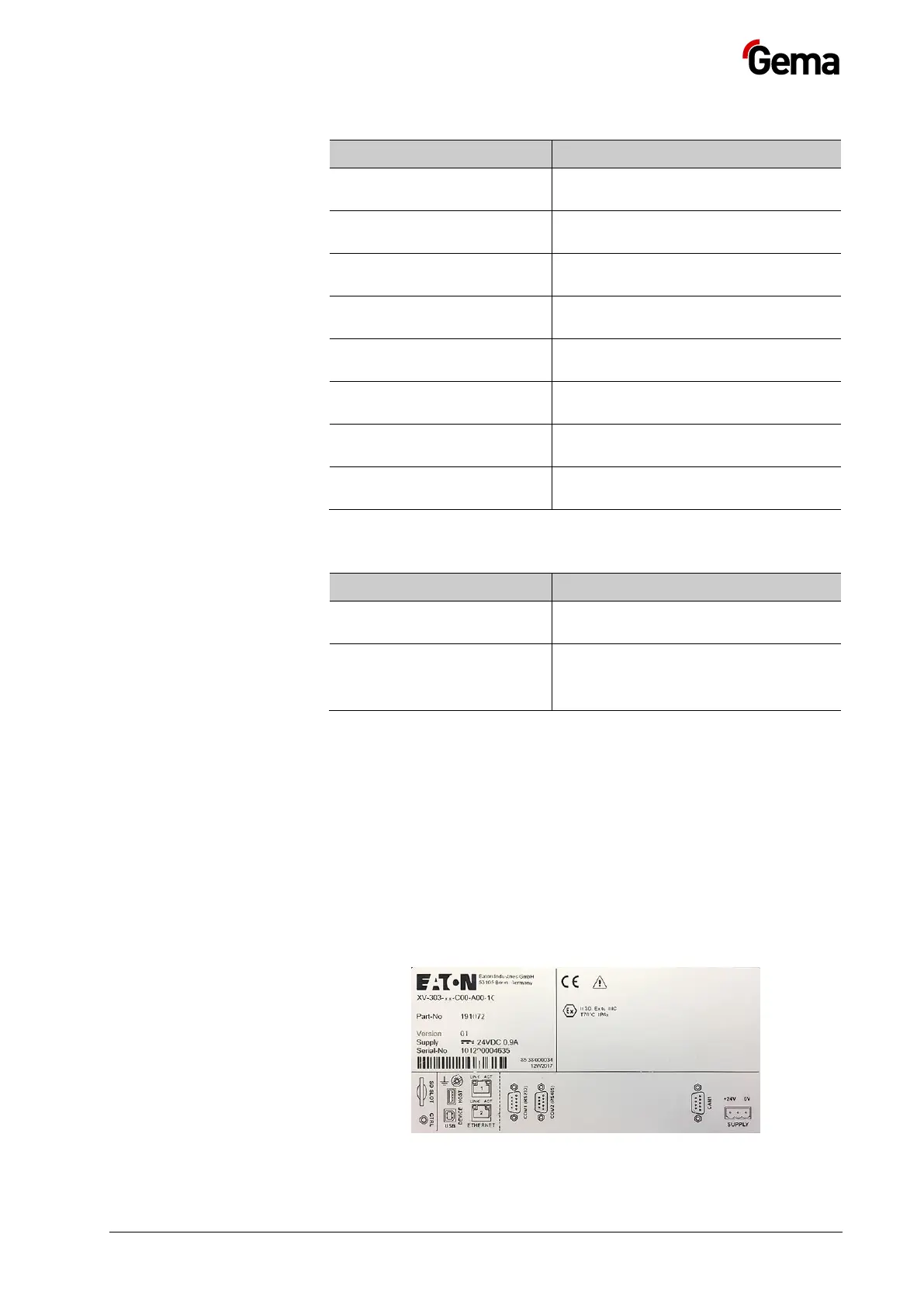
Rating plate
A rating place is attached to the back of the device for the purpose of
identification. The rating place contains the following information:
– Type designation
– Version
– Required power supply
– Serial no.
– Arrangement of interfaces and operating elements
Fig.
: Rating plate


 To Next Page