Rev. 00 04/19
34
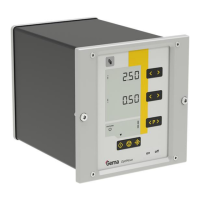
Touch panel / operating panel OptiCenter OC06
Operating modes
The following operating modes are available:
– different coating modes
– cleaning/color change
– configuration/settings
These operating modes are described in detail in the following chapters.
The user interface of the control unit is designed with pictograms, so that
only the really essential parameters are displayed, and the operator can
can quickly find a solution.
The control unit is not in any operating mode after switching on, or after a
restart. The operating modes are selected on the panel.
Coating with powder recovery (spray)
This coating mode allows the coating with recovery of the powder, which
does not adhere to the object.
Utilization of this operating mode:
– Long coating with the same powder
In order to increase the coating quality after a color change, the
function “Automatic change from coating without recovery to
coating with recovery” can be used.
– See chapter "Parameter description" on page 54.
Coating without powder recovery (spray to waste
container)
There is no powder recovery in this coating mode – the powder, which
does not adhere to the object, is fed directly to the waste.
Utilization of this operating mode:
– Short coating with different powders
– If highest coating quality is required
Manual coating mode
There is no powder recovery in this coating mode – the powder, which
does not adhere to the object, is fed directly to the waste.
Utilization of this operating mode:
– For smaller coating tasks
– If highest coating quality is required


 To Next Page