Rev. 00 04/19
OptiCenter OC06 Operation
59
Overheating of the US sieve**
The US sieve can break if it has already been configured in the
configuration menu and is not inserted in the OptiSpeeder (dry
operation).
► Insert US sieve into the OptiSpeeder
Clogging of the US sieve**
The US sieve can become clogged if it has not been configured in
the configuration menu and is still inserted in the OptiSpeeder
(operation without or with insufficient sieving capacity).
► Set US sieve parameters correctly
4.
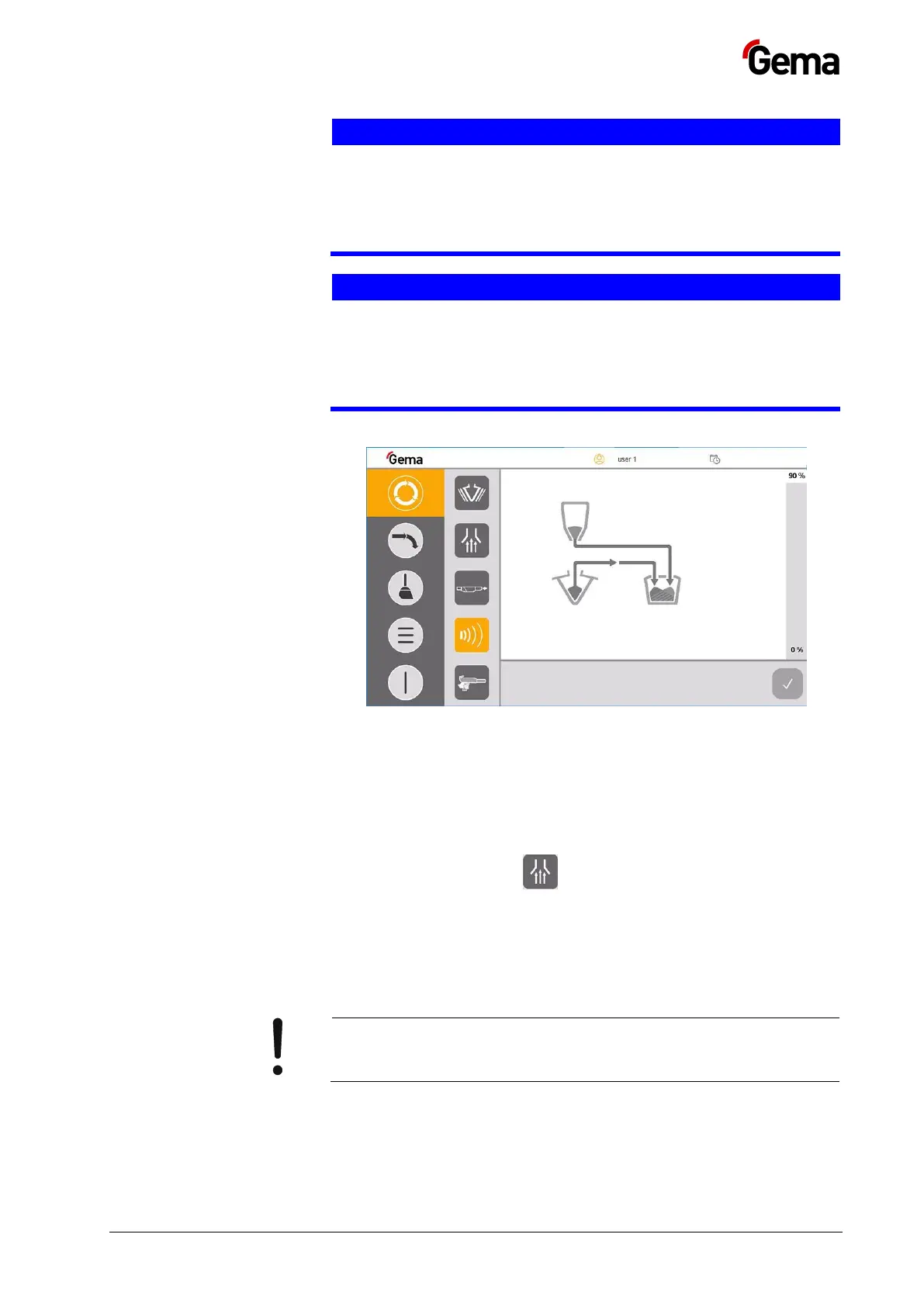
– The fluidization of the suction lance switches on
– The vibrator switches on and runs at intervals
– US sieve** switches on
5. The OptiSpeeder is filled until the filling level is reached.
– The vibrator switches off
6. The extraction system is switched off by default, but can be
manually switched on and off as needed
7. Open the OptiSpeeder cover and visually check the fluidization.
– The powder should “simmer” slightly, otherwise reset at the
corresponding pressure regulator
8. Coating can now commence
If an error message is displayed, correct the error and
acknowledge the error message so that the coating process
continues.


 To Next Page