Rev. 00 03/19
OptiStar 4.0 (CG24-CP) Product description
19
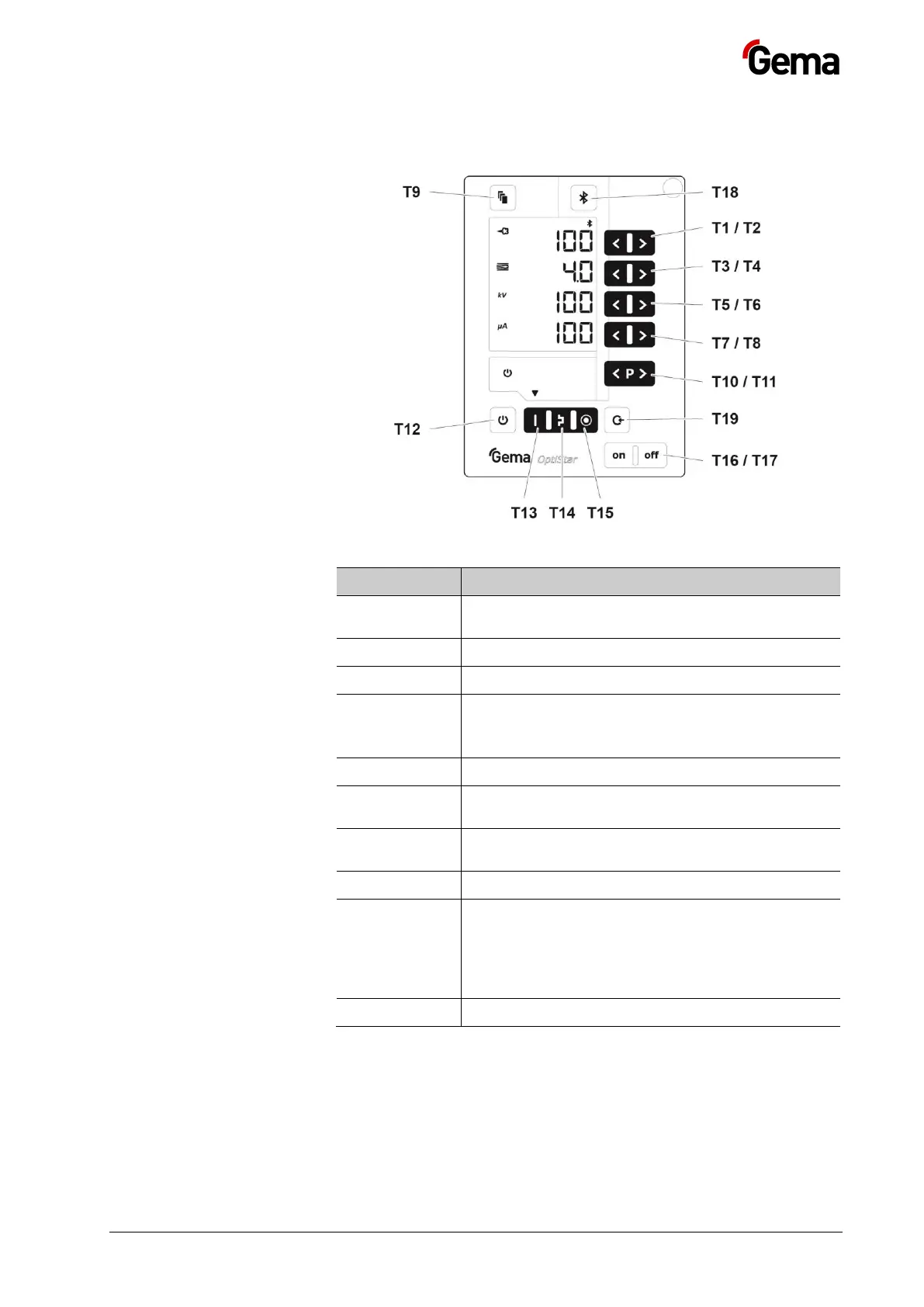
Input keys and switches
Fig.
: Input keys and switches
Input keys for desired values and system
parameters
Switch between display levels
– Gun release
– Switchover to system parameter mode (press
for at least 5 secs.)
Preset mode for flat parts (fixed values)
Preset mode for complex parts with depressions
(fixed values)
Preset mode for overcoating parts already coated
(fixed values)
– Activation of the pairing readiness from the
Bluetooth module to the mobile device (press
for at least 2 seconds)
– Display of the ID number (press for a short
time)
Activating the cleaning function


 To Next Page