Weld334m - User’s manual
69
APPENDIX A - Maintenance
Maintenance operations
Replacing the cards is a very simple task which poses no problems.
The wiring connections with the welding machine cannot be exchanged between one
another and the connector ID code is also recalled on the front panel.
To avoid doing wrong connections with similar connectors, DO NOT REMOVE the polarising
device which is fitted to several connectors of the cards.
To make the connection of the card on the bus easier, it is better to strip the card pack
from the container.
Always check whether jumpers are present on the card. If so, check they are done
correctly.
Replacing the modular cards
1.
Switch off the machine and disconnect wiring.
2.
Disassemble the control device from the machine support.
3.
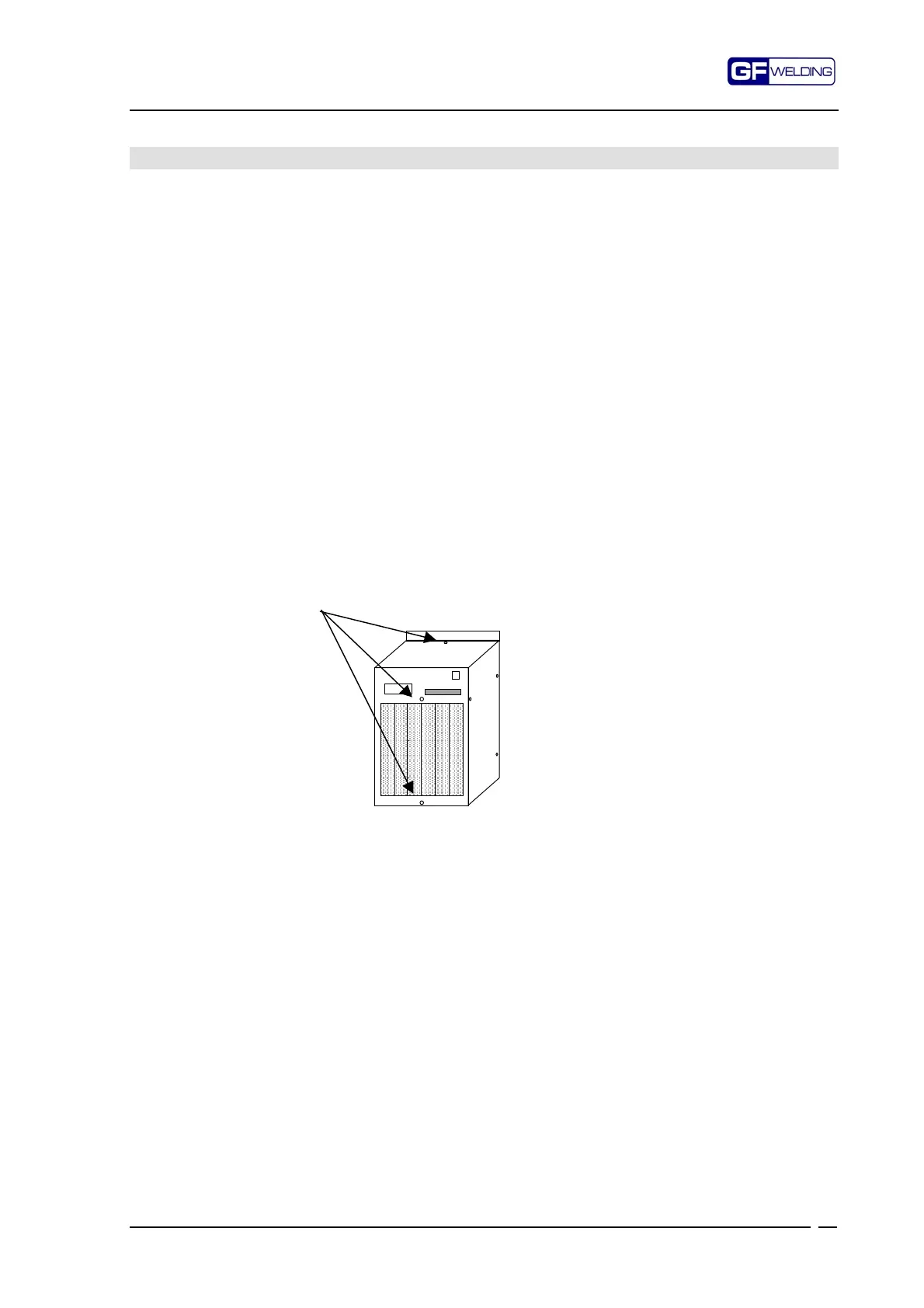
Remove the front panel by undoing the 3 fastening screws.
4.
Disconnect the card to be replaced paying utmost care in doing this operation.
Front part fastening screws
5.
Check on the new card for the presence of jumpers and, if need be, set them in the
correct way.
6.
Fit the new card into the rack and make sure that the P7 3-way connector fits
correctly into the bus.
7.
Put the card pack in place again in the container and fasten it by using its screws.
8.
Re-install the front part making sure that the PS connector fits properly into the
window then screw down the front part.
9.
Re-install the control device onto the machine.
10.
Connect wiring again.



 To Next Page