NTP Server
The UCM630xA can be used as an NTP server for the NTP clients to synchronize their time with. To configure
the UCM630xA as the NTP server, set "Enable NTP server" to "Yes" under Web GUISystem SettingsTime
SettingsNTP Server. On the client side, point the NTP server address to the UCM630xA IP address or host
name to use the UCM630xA as the NTP server.
Office Time
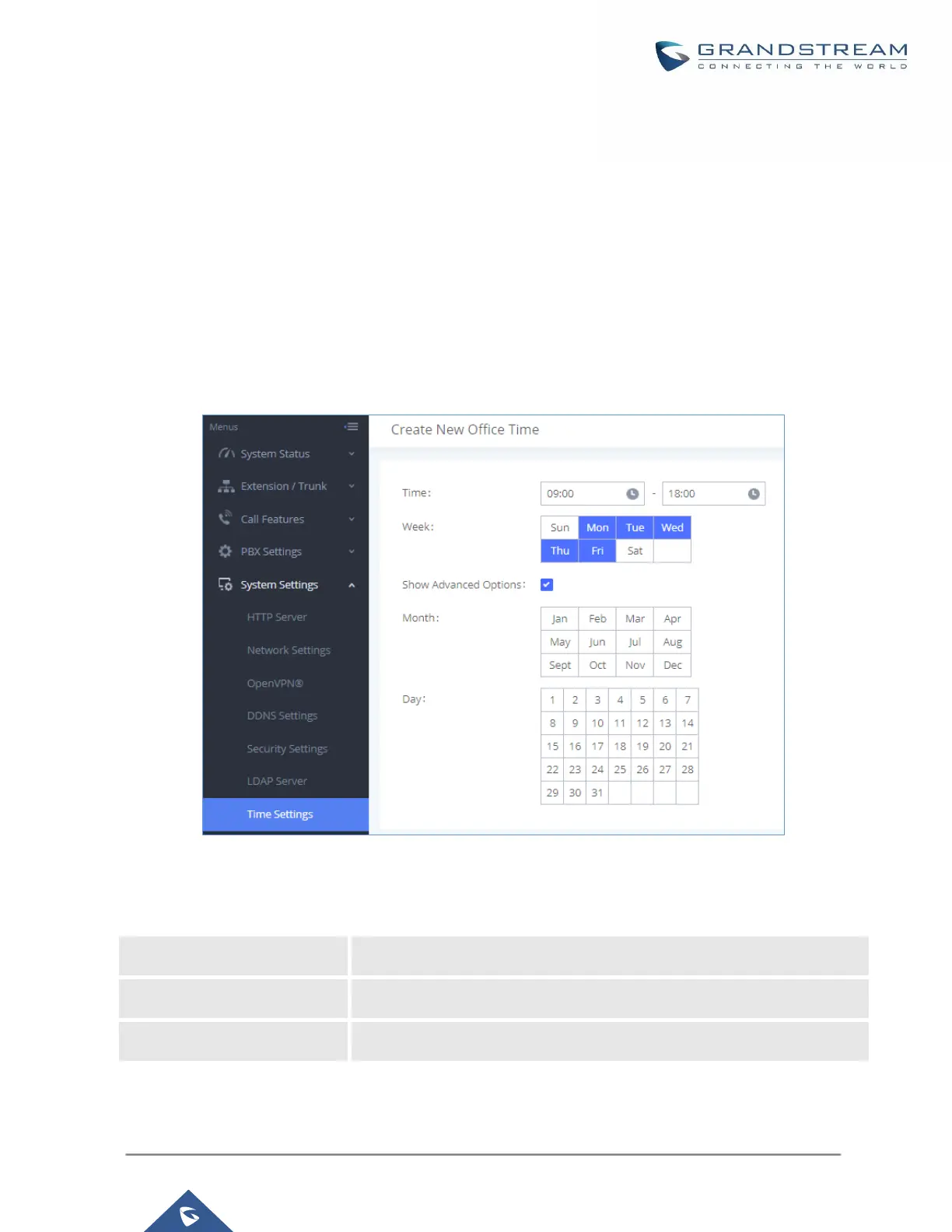
On the UCM630xA, the system administrator can define "office time", which can be used to configure time
condition for extension call forwarding schedule and inbound rule schedule. To configure office time, go to Web
GUISystem SettingsTime SettingsOffice Time. Click on "Add" to create an office time.
Figure 48: Create New Office Time
Table 22: Create New Office Time


 To Next Page
 Loading...





