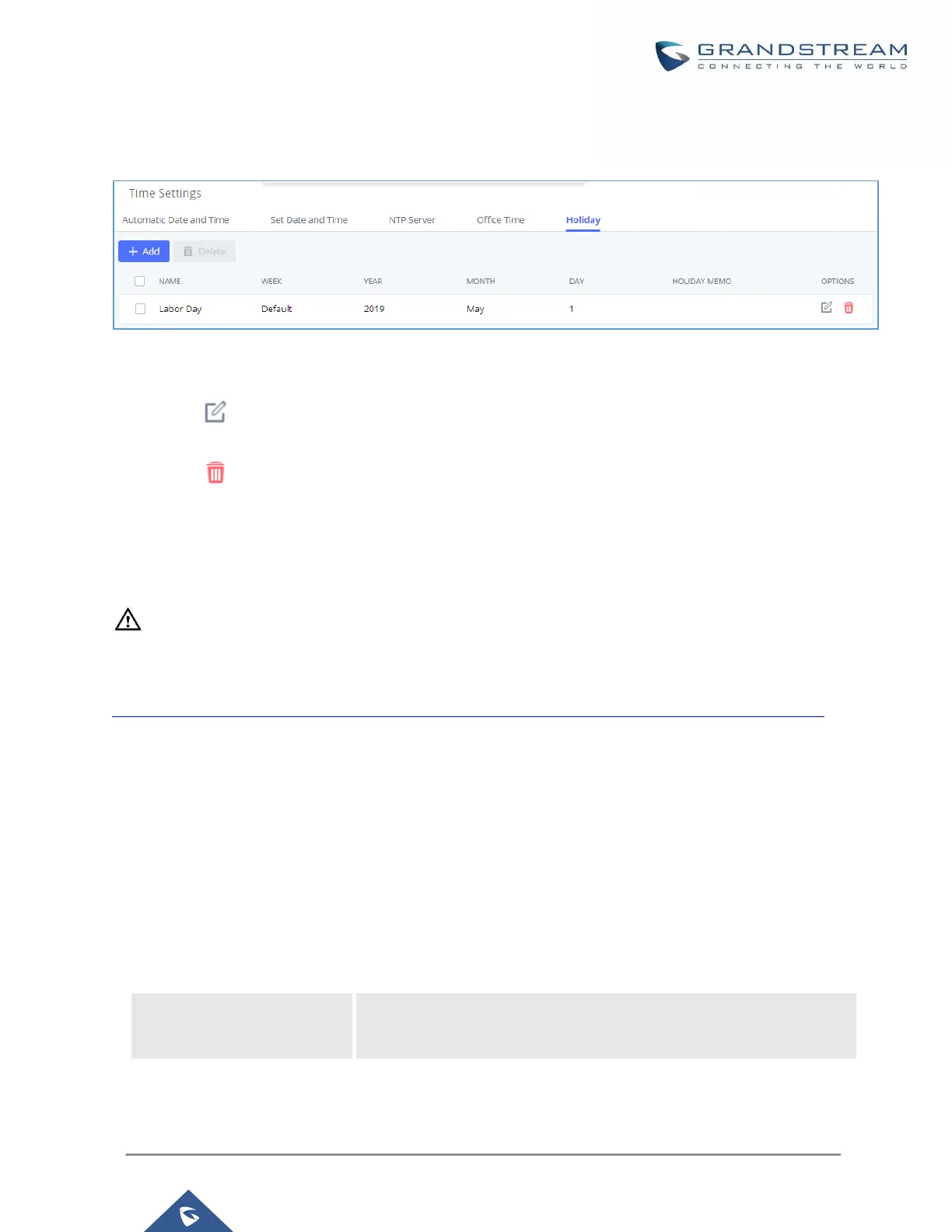
"Apply Change" for the holiday to take effect. The holiday will be listed in the web page as the figure shows
below.
Figure 51: SettingsTime SettingsHoliday
Click on to edit the holiday.
Click on to delete the holiday.
Click on "Delete" to delete multiple selected holidays at once.
--------------------------------------------------------------------------------------------------------------------------------------------
Note:
For more details on how to use office time and holiday, please refer to the link below:
https://www.grandstream.com/hubfs/Product_Documentation/office_time_and_holiday_on_ucm6xxx.pdf
--------------------------------------------------------------------------------------------------------------------------------------------
Email Settings
Email settings
The Email application on the UCM630xA can be used to send out alert event Emails, Voicemail (Voicemail-To-
Email) etc. The configuration parameters can be accessed via Web GUISystem SettingsEmail
SettingsEmail Settings.
Table 24: Email Settings
Enable or disable TLS during transferring/submitting your Email to
another SMTP server. The default setting is "Yes".


 To Next Page
 Loading...





