July 28, 2008 K2 Media Client Service Manual 51
Create the Control Team
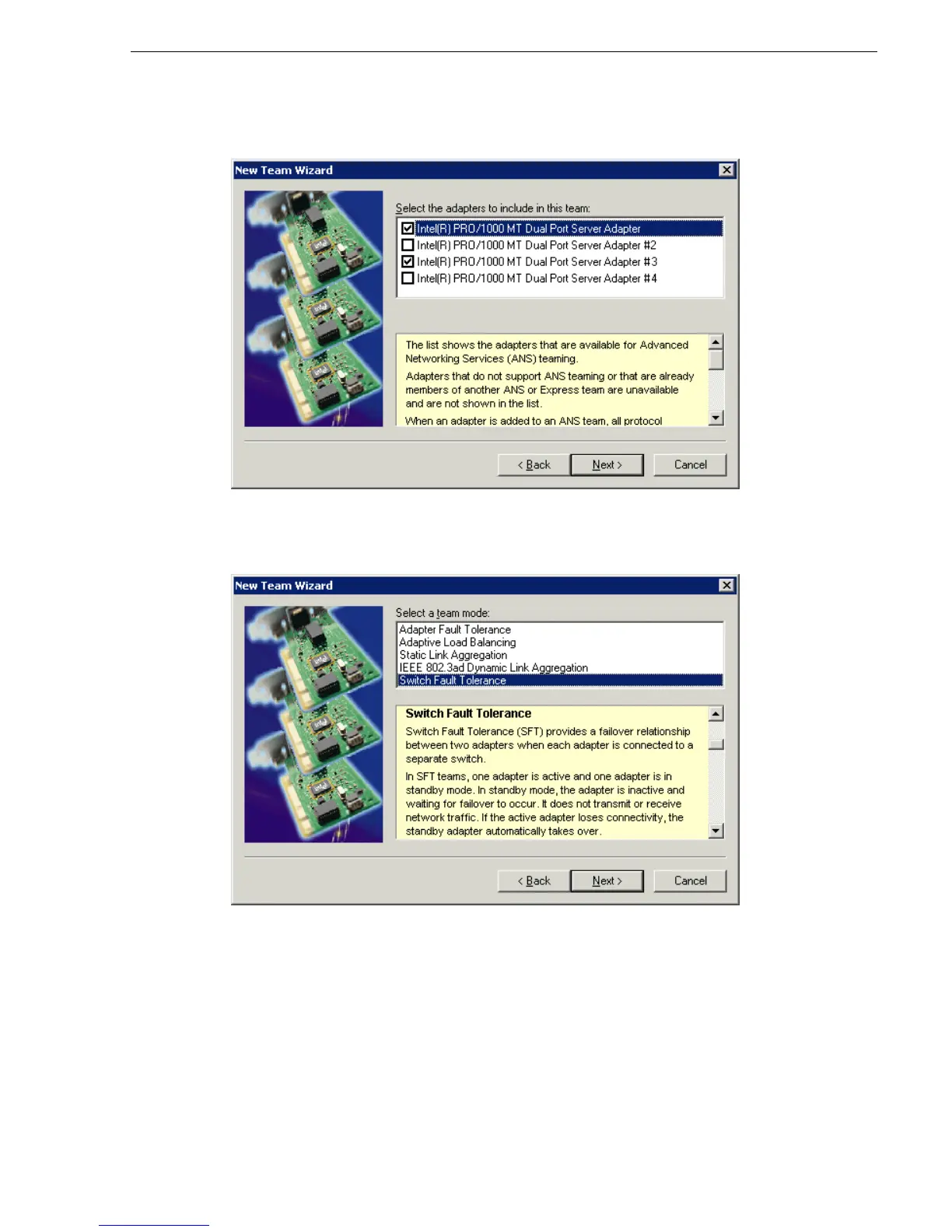
5. Select the check box for …Adapter and …Adapter #3. Click Next.
6. Select
Switch Fault Tolerance. Click Next.
7. Click
Finish and wait a few seconds for the adapters to be teamed.
8. Restart the K2 Media Client and log in with administrator privileges.
9. Open the Modify Team dialog box as follows:
a. In Device Manager | Network Adapters, right-click
Intel® Advanced Network
Services Virtual Adapters #2
(make sure it is the adapter identified as a Virtual
adapter) and select
Properties. The Properties dialog box opens.



 To Next Page
 Loading...


