Slicer/Applicator
SS-10.DOC:1/26/2007 11:08 AM
Grote Company
17
Product Holder Height Adj -
Hydraulic Slicers
The following steps are used to adjust the product holder clearance. On split-head
machines each cluster must be adjusted separately.
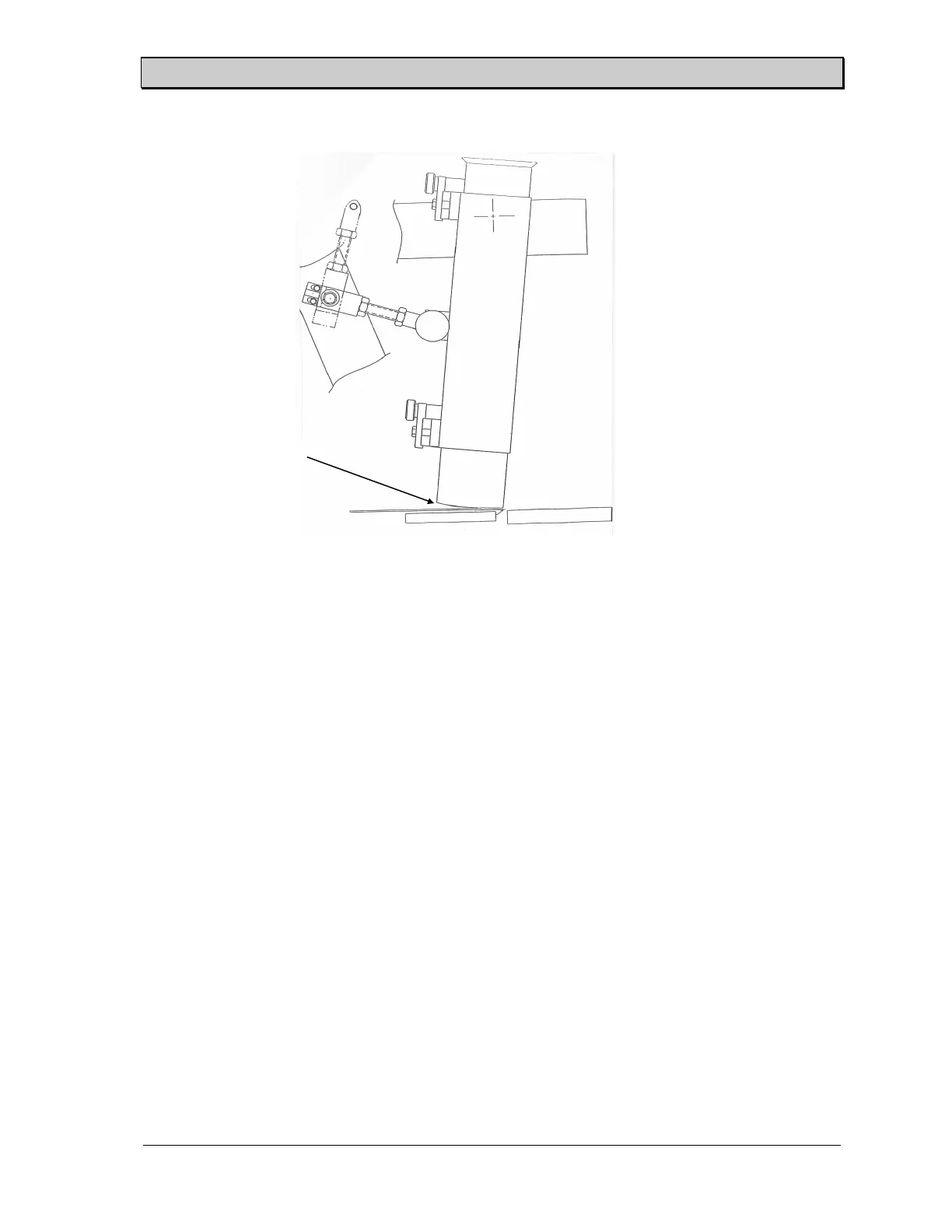
Figure 14 shows the adjustment bolts for the product holder clearance and Figure 12
shows the proper height adjustment.
1. Install the product holders in the slicer and release the pull pin. Swing the holders
across the blade guide.
2. Loosen the hex head cap screws in the adjustment jack screw.
3. Raise or lower the product holder box by turning the adjustment jack screws until
the clearance between the bottom of the product holder and the tip of the band
blade is between 1/32" (0.8 mm) and 1/16" (1.6 mm).
4. When the product holder height is properly adjusted, tighten the hex head cap
screw.
5. Reinsert the pull pin and the adjustment is complete.
6. Repeat the above procedure for all product holder boxes.
Figure 12. Correct Product Holder Height.
Product holder
clearance



 To Next Page