Slicer/Applicator
SS-10.DOC:1/26/2007 11:08 AM
Grote Company
32
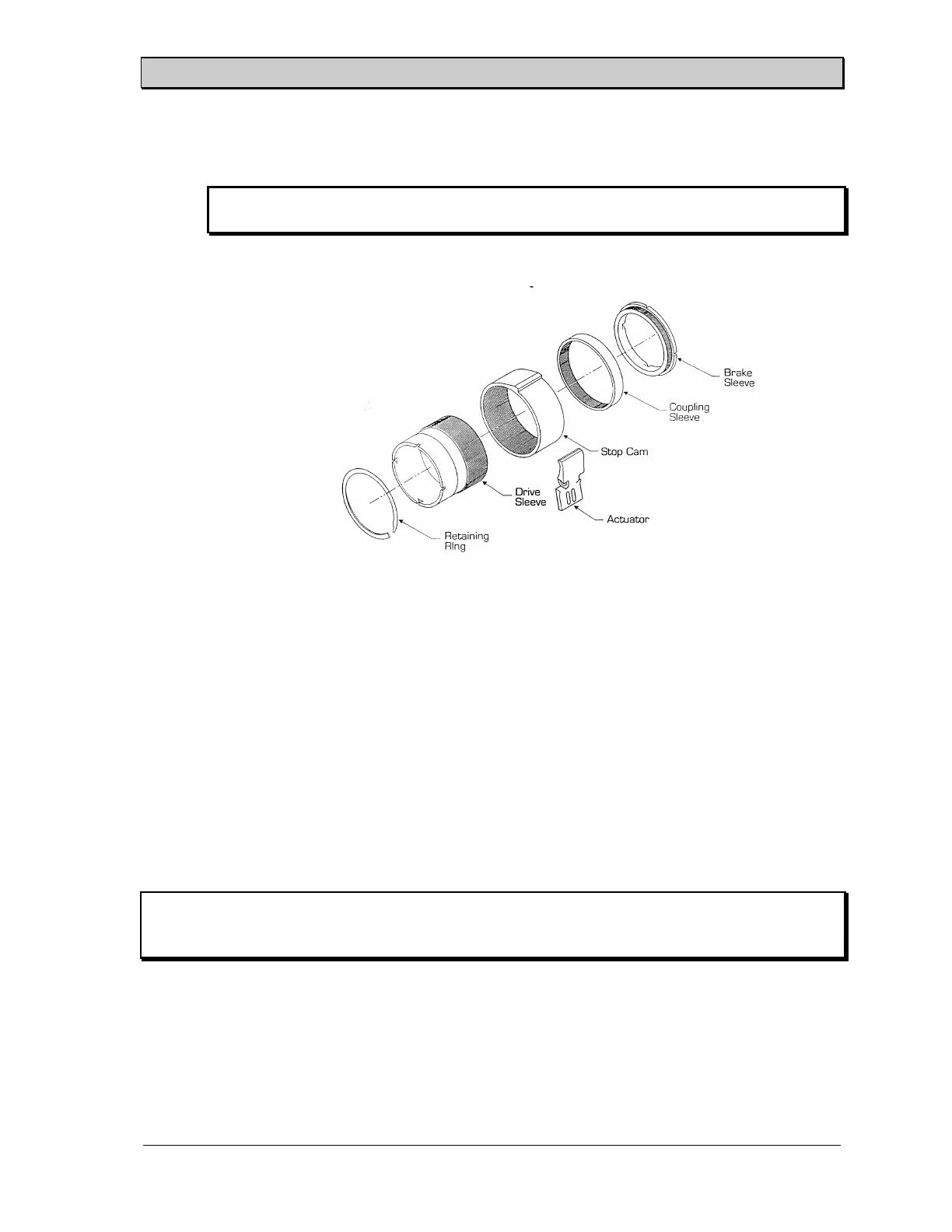
Clutch Control Collar Adjustment
Note: To ensure proper stop position, brake must be locked up before proceeding with
the following steps.
See Figure 23.
1. Work retaining ring out of groove and slide forward on sleeve.
2. Slide stop cam off splines, rotate to desired stop position and slide back on splines.
Hold the actuator pawl clear during this operation.
3. Slide retaining ring back into groove.
Tightening Proximity Switches
CAUTION: Do not overtighten the jam nuts on proximity switches (torque should not exceed 15
ft.lbs.). Overtightening may cause damage to the internal components of the switch
and housing.
Proximity switches are used on this machine. The sensitivity of these switches is determined by the
physical distance between the tip of the switch and the object to be detected. This distance is
adjustable by loosening the threaded nuts (one or two) on the switch housing, moving the switch in
or out on the mounting bracket, and then retightening the jam nuts. If the nuts are overtightened
after adjusting the proximity switch they may cause the switch to fail.
Figure 20. Clutch Control Collar Adjustment.



 To Next Page