User Manual
H3C S1526 Smart Ethernet Switch Chapter 2
Web-based Configuration
2-15
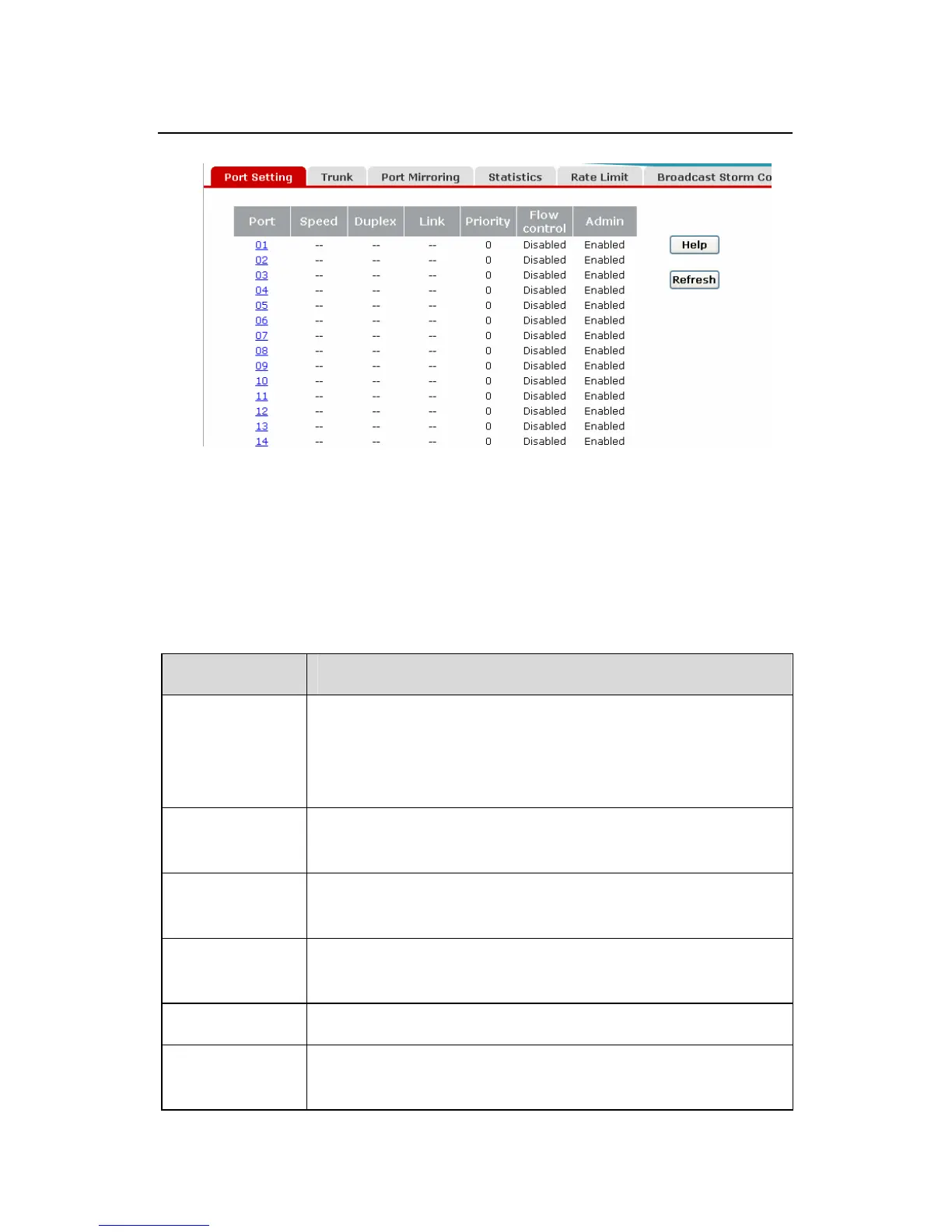
Figure 2-11 Port setting
This page displays the basic information of each port, as
described below:
Table 2-4 Port setting item description
Item Description
Port
Port number, corresponding to the
identification on the front panel of the switch.
You can set properties of a port by clicking its
number.
Speed
Actual operating rate of the port, displayed as
“--“ if this port is not connected.
Duplex
The duplex mode of the port, displayed as
“--“ if the port is not connected.
Link
Indicates the linkage state of the port,
displayed as “--“ if not connected.
Priority Priority of the port.
Flow
control
Indicates whether flow control is enabled.



 To Next Page