User Manual
H3C S1526 Smart Ethernet Switch
Chapter 6 Appendix – IP
Address Configuration
6-2
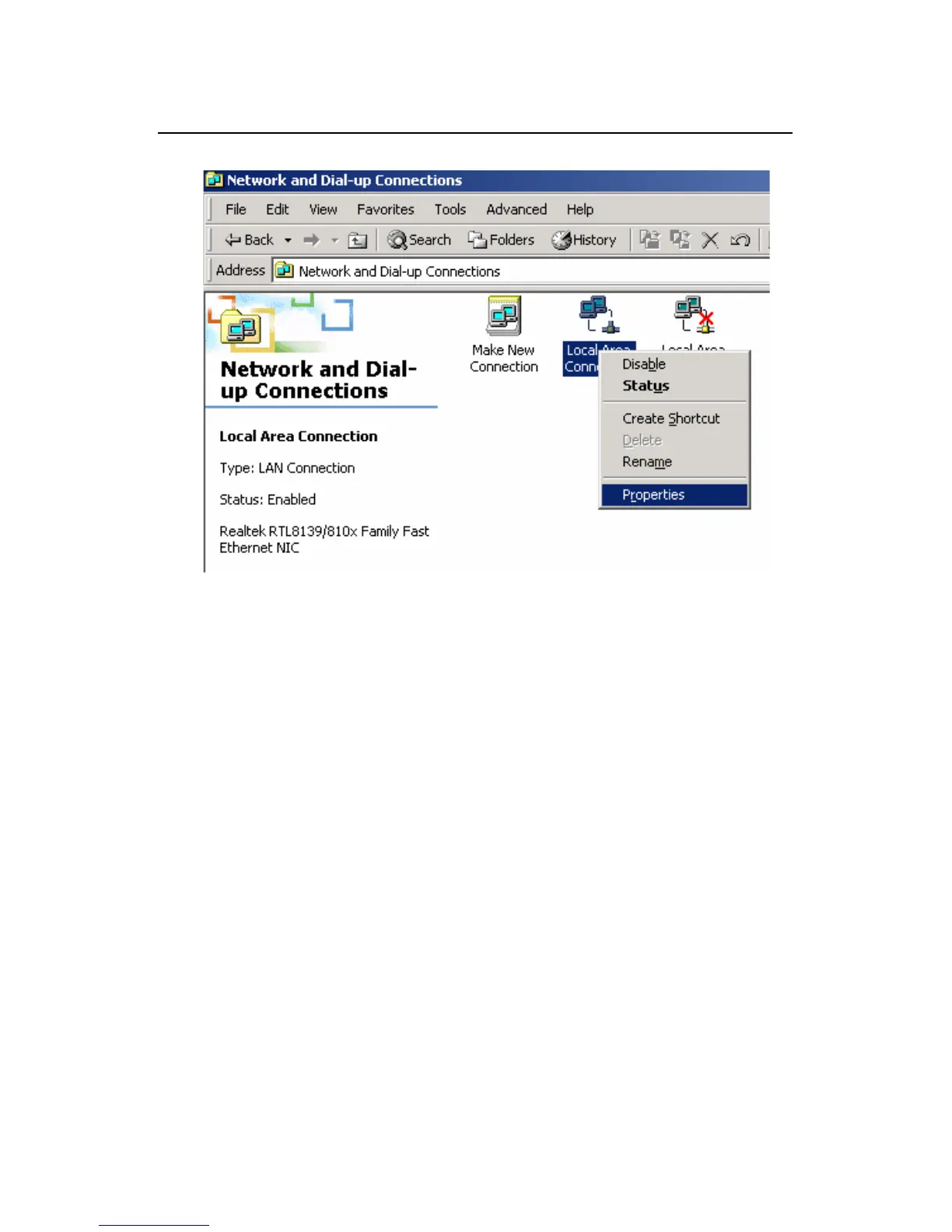
Figure 6-1 Network and dial-up connections
2) Right-click the [Local Area Connection] icon in the
[Network and Dial-up Connections] window, and then
click [Properties] on the shortcut menu to enter the
[Local Area Connection Properties] window.



 To Next Page