126 6LE005550A
Support
6.1 Troubleshooting
In the event of a problem when using the h3+ system, this section provides advice
on how to resolve issues.
Malfunction Advice
If the fault
continues
Ready LED o
- Check that the current consumed by the installation
is above the required threshold (see table in section
2.1.4)
- If using an external supply, check whether the
external 24 VDC supply is supplied and connected to
one of the CIP connectors of the circuit breaker.
Contact
your Hager
technical
support if
the fault
persists.
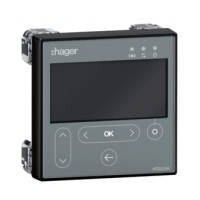
The embedded display
does not switch on
- Check that the current consumed by the installation
is above the required threshold (see table in section
2.1.4)
- If using an external supply, check whether the
external 24 VDC supply is supplied and connected to
one of the CIP connectors of the circuit breaker.
Ready LED is flashing
orange
- Check the positioning of the adjustment dials,
- On the Energy 3P trip unit, check that the neutral
protection is deactivated.
"Communication
error" message on the
embedded display
- Contact your Hager technical support. –
Panel display o
- Check whether the external 24 VDC supply is
supplied and connected to one of the CIP connectors
of the circuit breaker.
- Check the connection of the CIP adapter between the
display and the circuit breaker.
- Replace it if necessary.
Contact
your Hager
technical
support if
the fault
persists
"Communication error"
message on the panel
display
- Check the connection of the CIP adapter between the
display and the connection.
- Reconnect the panel display.
Power LED for the
communication module
o
- When using an external supply connected to the trip
unit, check the connections between the module and
the trip unit
- When using an external supply connected to the
module, check the presence of the 24 VDC at the
supply output, and check the connections.
–
Power LED for the
communication module
flashing green
- Wait a few seconds.
- Check the connections between the module and the
circuit breaker.
–
Power LED for the
communication module
constantly red
- Contact your Hager technical support.
Contact
your Hager
technical
support if
the fault
persists
Modbus LED for the
communication module
constantly red
- Check the positioning of the adjustment dials.
Modbus LED for the
communication module
o
- Check the connection of the Modbus cables.


 To Next Page