976LE005550A
Starting, commissioning, operation
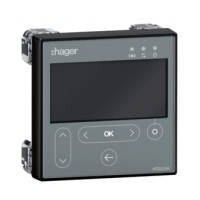
4.6 Start-up and configuration via the HTD210H display
4.6.4
Starting the HTD210H
display for the first time
The first time it is used, the display will ask you to choose the navigation language.
English is the default language oered.
To change the language:
Action Key Screen
1
Select another language
2
Confirm the selection
- The screen is displayed
in the language chosen.
- The screen will switch to
Live mode
Access for modifying the circuit breaker configuration is protected by a password.
Note
The HTD210H display is supplied with the default password: 3333.
It is recommended to change the password at first start-up.


 To Next Page