98 6LE005550A
Starting, commissioning, operation
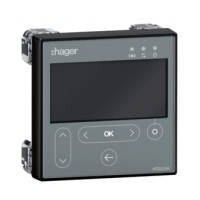
4.6 Start-up and configuration via the HTD210H display
Here is the procedure to follow to change the password:
Action Key Screen
1
Open the Main menu
- The presence of a
padlock means that
the screen is locked.
or
2
Open the menu for entering
the password
- The password must be
4 figures long.
- By default: 3333.
3
Increase/decrease the
value
4
Select the next numbers
and position the values
5
Confirm your entry
Result
- The screen is unlocked
- The padlock symbol is
open
- The sub-menus are no
longer locked
6
If the password is incorrect,
it must be entered again
(Repeat from step 3)
-


 To Next Page