736LE005550A
Starting, commissioning, operation
Page
4.1 Plug connections and accessories 74
4.1.1 Plug connections 74
4.1.2 Connection accessories 75
4.2 Starting and configuring the circuit breaker 76
4.2.1 Precautions for use before starting 76
4.2.2 Starting the Energy trip unit for the first time 78
4.2.3 Setting the max Ir setpoint and Ir current of the Energy trip unit 79
4.2.4 Configuration via the unlock button 82
4.2.5 Configuring Live mode 85
4.3 Connecting the communication module 86
4.3.1 Connecting the module to the circuit breaker 86
4.3.2 Connecting the communication module supply 88
4.3.3 Connecting inputs/outputs 88
4.4 Assembling and connecting the AX/AL Energy auxiliary 89
4.5 Connecting the PTA and OAC output contacts 91
4.5.1 Connecting the PTA contact 91
4.5.2 Connecting the OAC contact 92
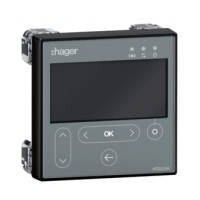
4.6 Start-up and configuration via the HTD210H display 93
4.6.1 Overview of the HTD210H display 93
4.6.2 Connecting the HTD210H display 95
4.6.3 HTD210H display supply 96
4.6.4 Starting the HTD210H display for the first time 97
4.6.5 Configuration recommendations via HTD210H 100
4.6.6 Text block: Activation of HTD210H alarms 102
4.7 Commissioning via the HTP610H configuration tool 104
4.7.1 Preparing the HTP610H tool 105
4.7.2 Configuration recommendations via HTP610H 108
4.7.3 Trip curve test via HTP610H 110
4.7.4 PTA and OAC contact test via HTP610H 111
4.8 Operation 112
4.8.1 Displaying information on the embedded and panel display 112
4.8.2 Displaying data on the HTP610H configuration tool 114
4.8.3 Displaying operating data on agardio.manager 115


 To Next Page