716LE005550A
Function of the Energy trip unit
3.4 Managing alarms and logs
Custom alarm log
Each custom alarm event is saved with the following information:
- Description
- User time
- Machine time
- Alarm appearance/disappearance
Log of protection settings
Every modification to one of the protection settings is saved in the log:
- Ir
- tr
- Short time delay activation
- Isd
- tsd
- I²t on tsd
- ZSI short time delay (only on Energy P250)
- Ii
- Ground protection activation
- lg
- tg
- I²t on ground fault
- ZSI ground fault (only on Energy P250)
- Neutral activated/deactivated (only on version 4P)
- Neutral setting coecient (only on version 4P)
Every modification to a protection setting is saved with the following information:
- Previous setting
- User time
- Machine time
For each setting, up to 5 modifications can be saved separately. When a setting is
modified, the previous value is saved as well as the user time and machine time.
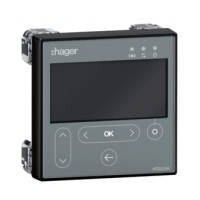
These logs can be accessed from the modbus communication, the panel display
and the HTP610H configuration tool.
The configuration tool is used to clear the trip alarm and custom alarm logs:
- In full
- At high priority
- At medium priority
- At low priority
Machine time
The machine time counts the total operating time of the trip unit. It is given in
absolute time and cannot be adjusted.
The machine time increases when the trip unit is in service. The increase is
interrupted when the trip unit is no longer supplied.
It is not recommended to use the machine time as a clock to record the time of the
log events.
User time
The user time can adjusted manually (via the embedded display or the panel display)
or by synchronising it with a reference clock from the configuration tool or by a
Modbus control. It is given in the form of the date, hours, minutes and seconds.
Just like the machine time, the counter increases when the trip unit is supplied
correctly.


 To Next Page