Table of Content
9
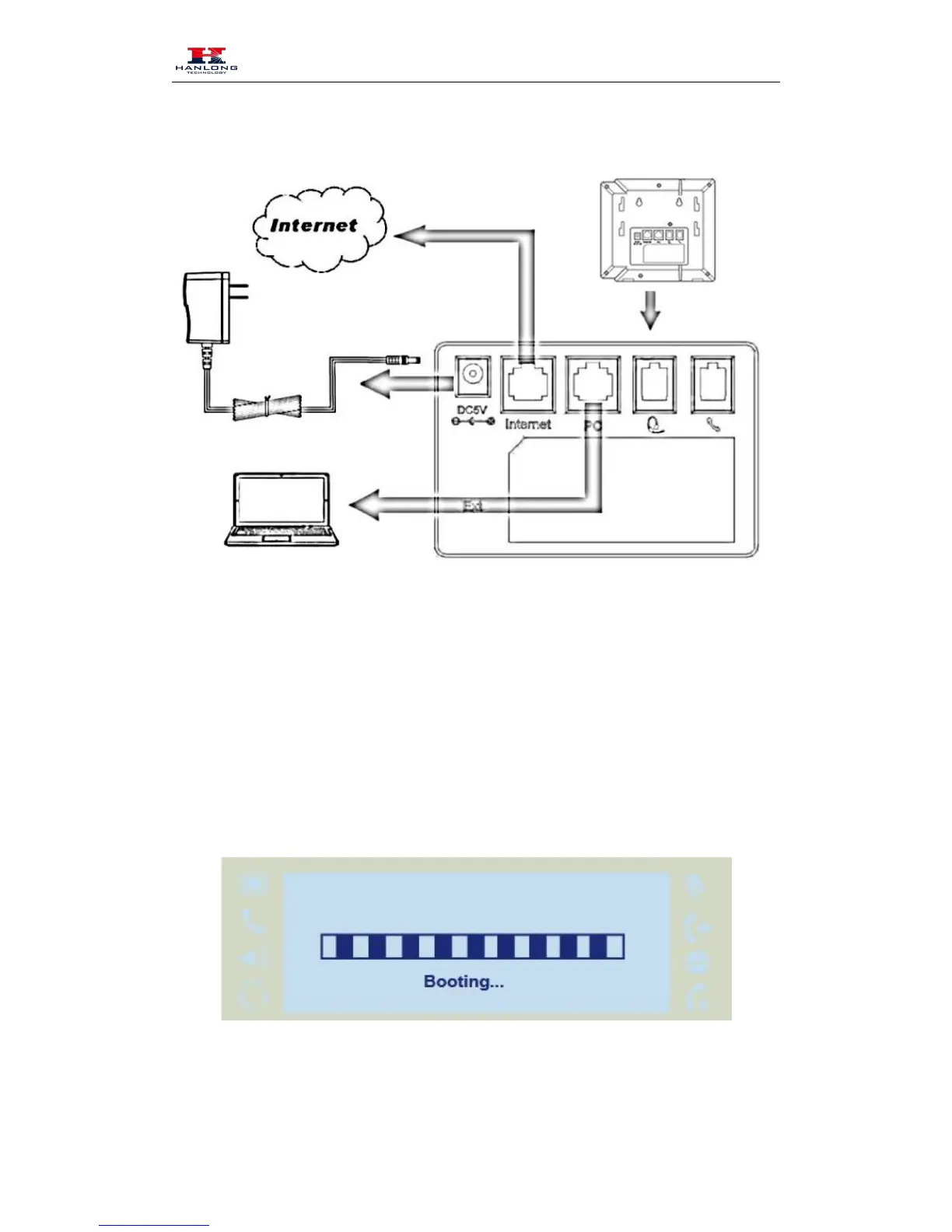
3. Connect the Network and Power
Initialization
After your phone has been powered up, the system boots up and performs the following steps:
Automatic Phone Initialization
The phone finishes the initialization process by loading the saved configuration. The phone LCD
screen will display "Booting"
And then show “Initializing “during the initialization.



 To Next Page