Table of Content
55
2. Press
or press the send softkey, then the call is sending.
To place a call by Headset:
1. Press the
( light is Green),
2. Enter the desired number.
3. Press
or press the Send softkey, then the call is sending.
Using headset to place and answer calls for all time
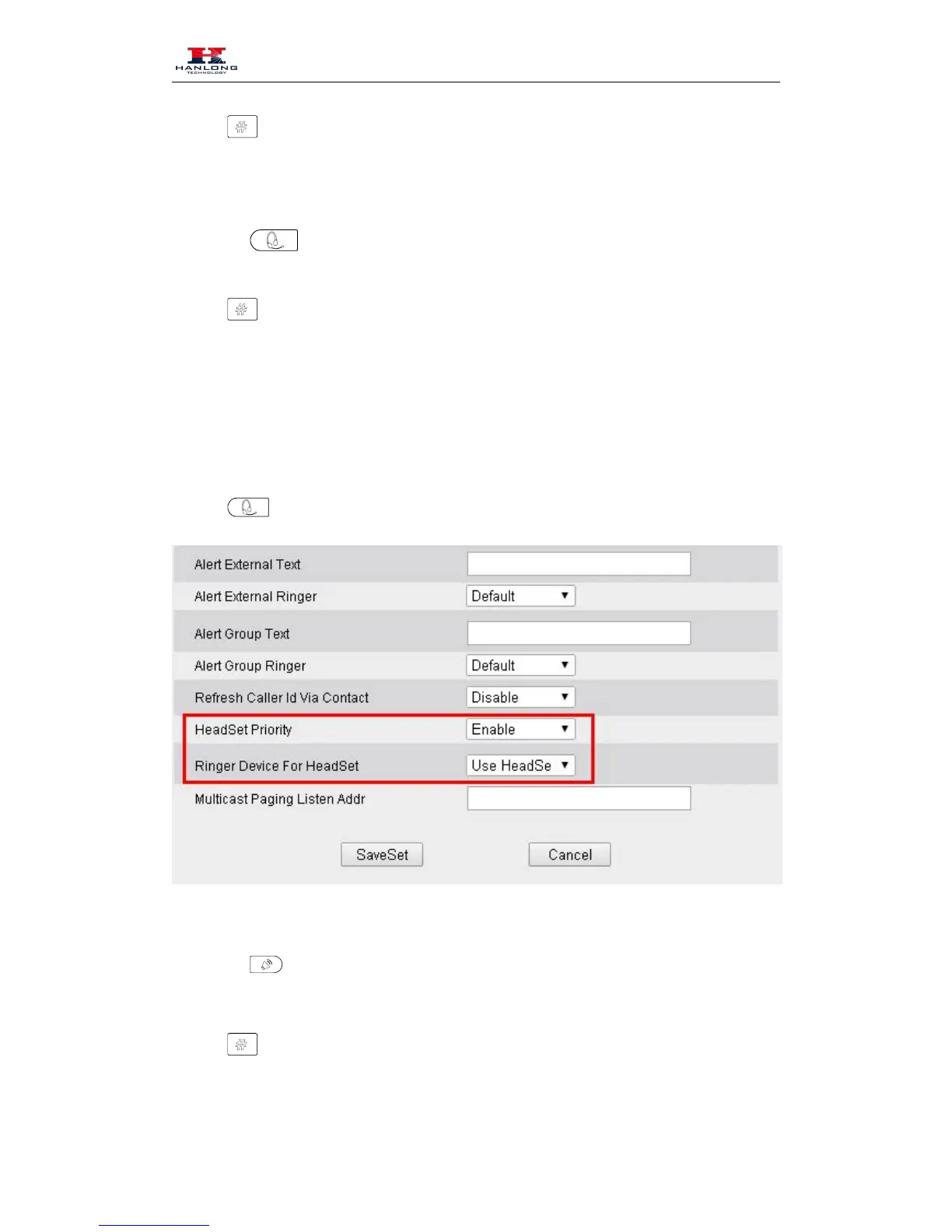
1. Click webpage Setting Preference
2. HeadSet Priority Enable
3. Ring Device For HeadSet User Headset
4. Press
Placing a call by hands-free speakerphone
1. Press the
, or press the Line key, then you can hear the dial tone.
2. Press the number.
3. Press
or press the Send soft key, then the call is sending.



 To Next Page