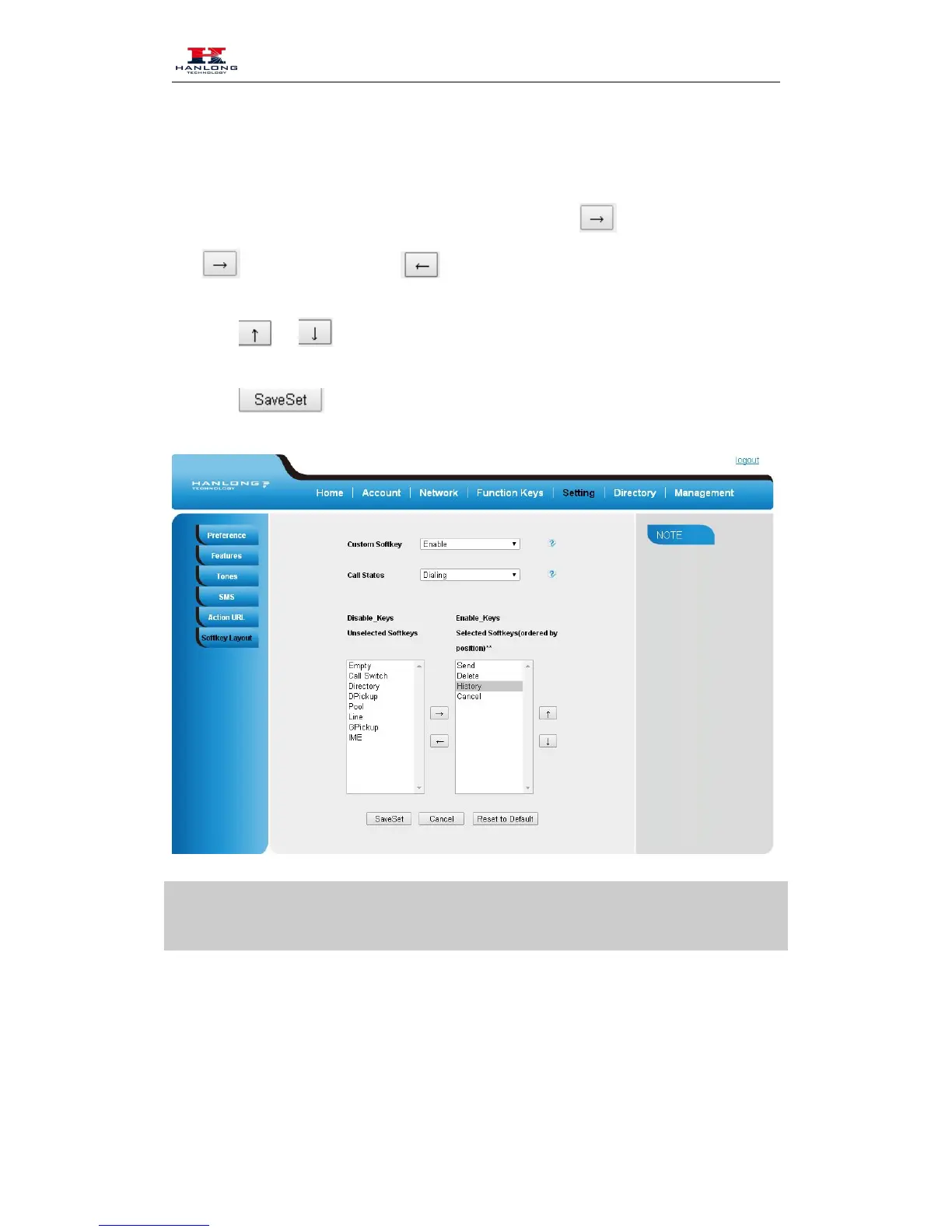
5. Select Enable for Custom Softkey
7. Select the feature form the disable key to enable key field by
Disable to Enable field. Delete the Enable, and it will back to Disable field.
8. Click or to change to position or each feature.
9. Click to save the configuration.
1. When there more than 5 items in the Enable field, the last softkey will display More, and
last two item will show in the next page softkey, you can check by press more.
Programmable Key
For the default keys as Soft keys, Navigation keys and so on, you can define them as some
specific feature, and it works only on the idle page.



 To Next Page