Table of Content
100
Note:
This feature is not available on all servers. For more information, contact your system
administrator.
Public Hold
The key can be configured as a public hold key. During a conversation, all members belonging to
that particular SLA group can use this key to hold or resume a call.
To configure the Public hold via phone interface
1. Press Menu → Features → Function Keys → Line or Memory keys as Function Keys →
2. Select the wanted Line or Memory key.
key to select the Public Hold.
or Save soft key to save the configuration
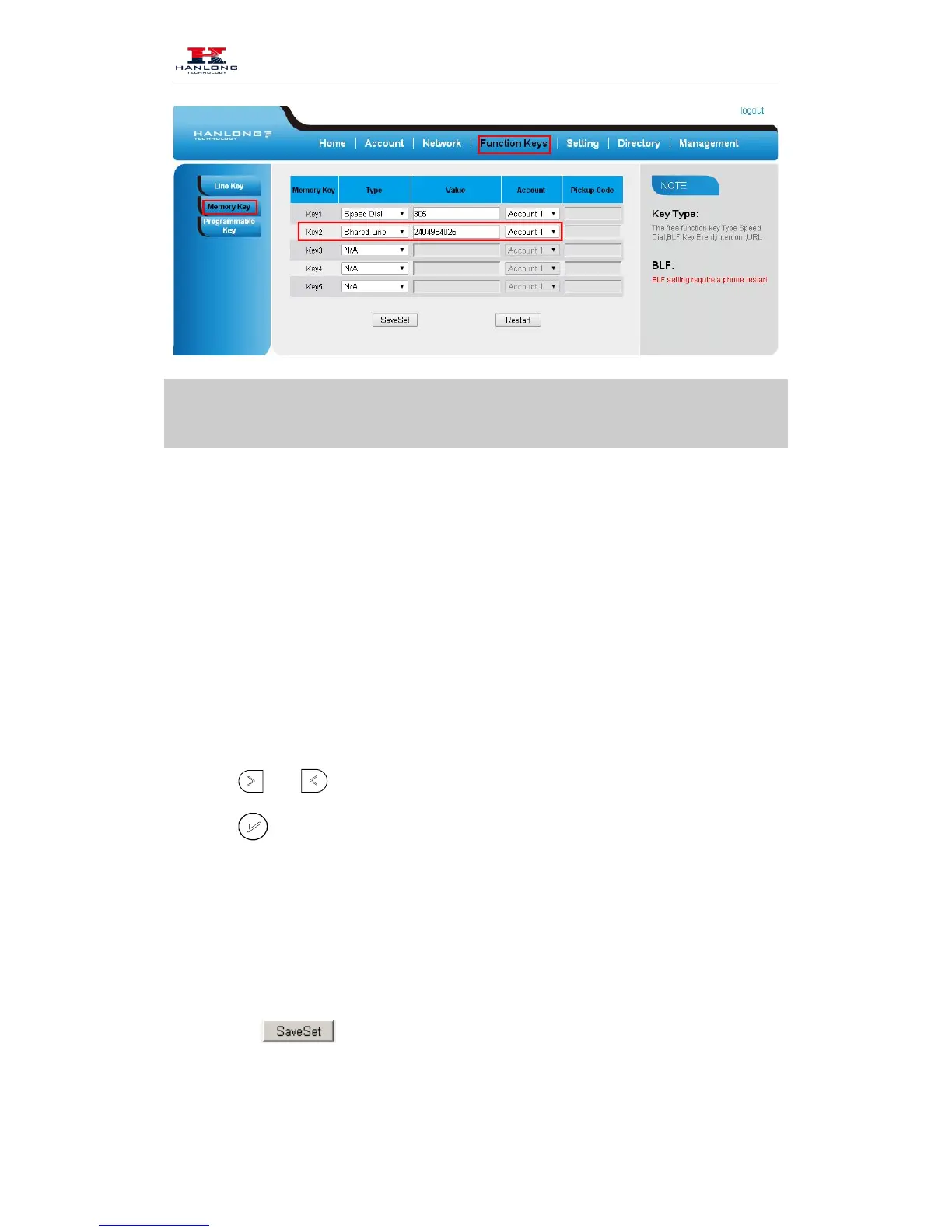
To configure public hold via Web Interface
1. Click Function keys →Memory Key.
2. Select the desired Key and select public hold in the Type.
3. Click the to save the configuration.



 To Next Page