Table of Content
31
To configure the Time & Date Format
16. To press Menu → Setting → Basic setting → Time & Date Format
or press Info to change between 12 Hour or 24 Hour.
or press Info to change among Y-M-D(year-month-day),
M-D-Y(month-day-year), D-M-Y(day-month-year).
or Save soft key to save the configuration.
To configure the DHCP time
20. To press Menu → Setting → Basic setting → DHCP time
or press Info to change between Disable and Enable.
or Save soft key to save the configuration.
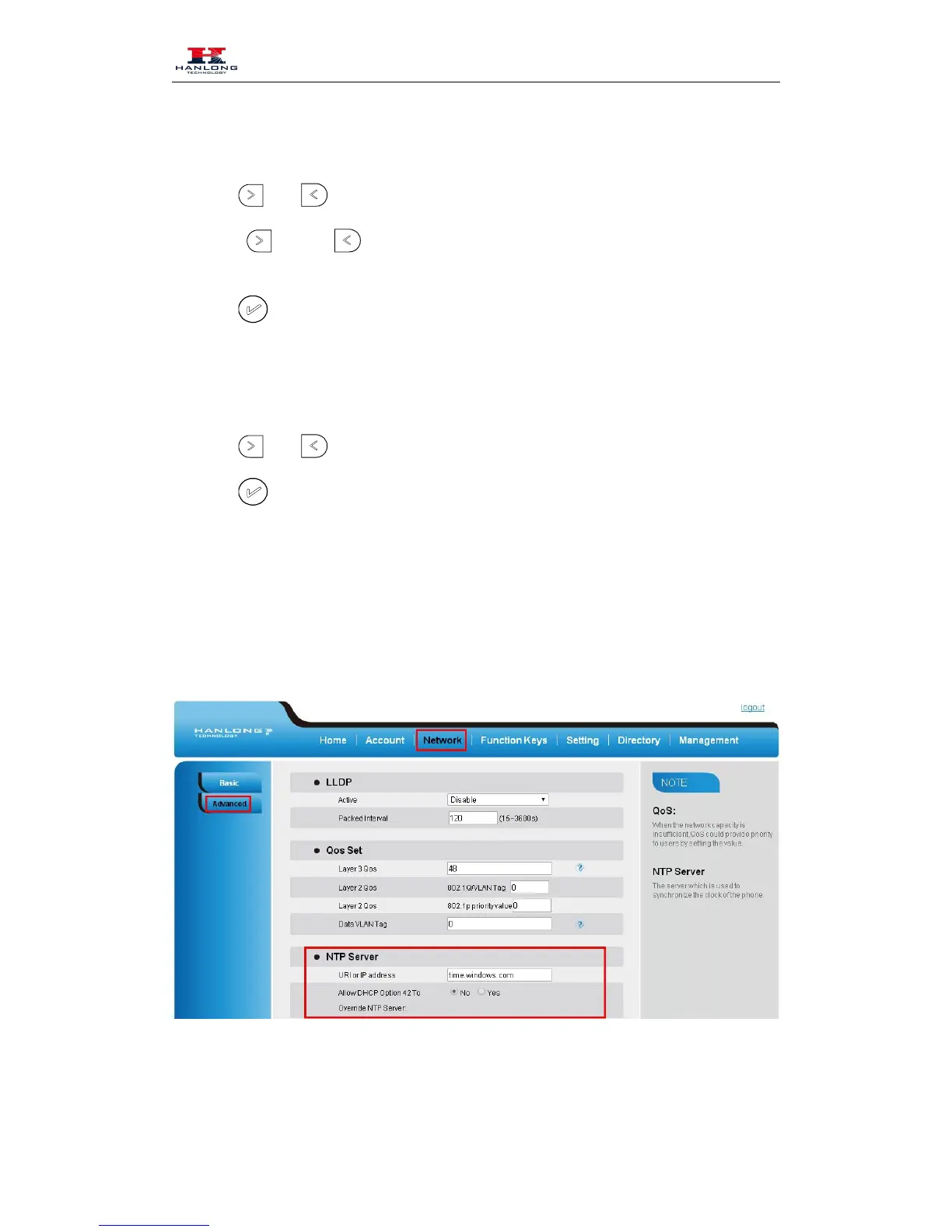
To configure the Time and Date by web interface
Login name: admin, password: admin (default)
24. Network → Advanced →NTP Server
25. Fill the value in the blank.
To change the Time Zone and Date Display Format via web interface
26. Setting → Preference →Time Zone



 To Next Page