EasyManua.ls Logo

Hanlong UC802(P) - Line

Hanlong UC802(P)
111 pages
Print Icon
To Next Page IconTo Next Page
To Previous Page IconTo Previous Page
Loading...
Table of Content
77
2. Press
and
key to select the Speed Dial in the type field.
3. Enter the targeted Number.
4. Press
or Save soft key to save the configuration
Then the selected Line or Memory key will work as Speed Dial.
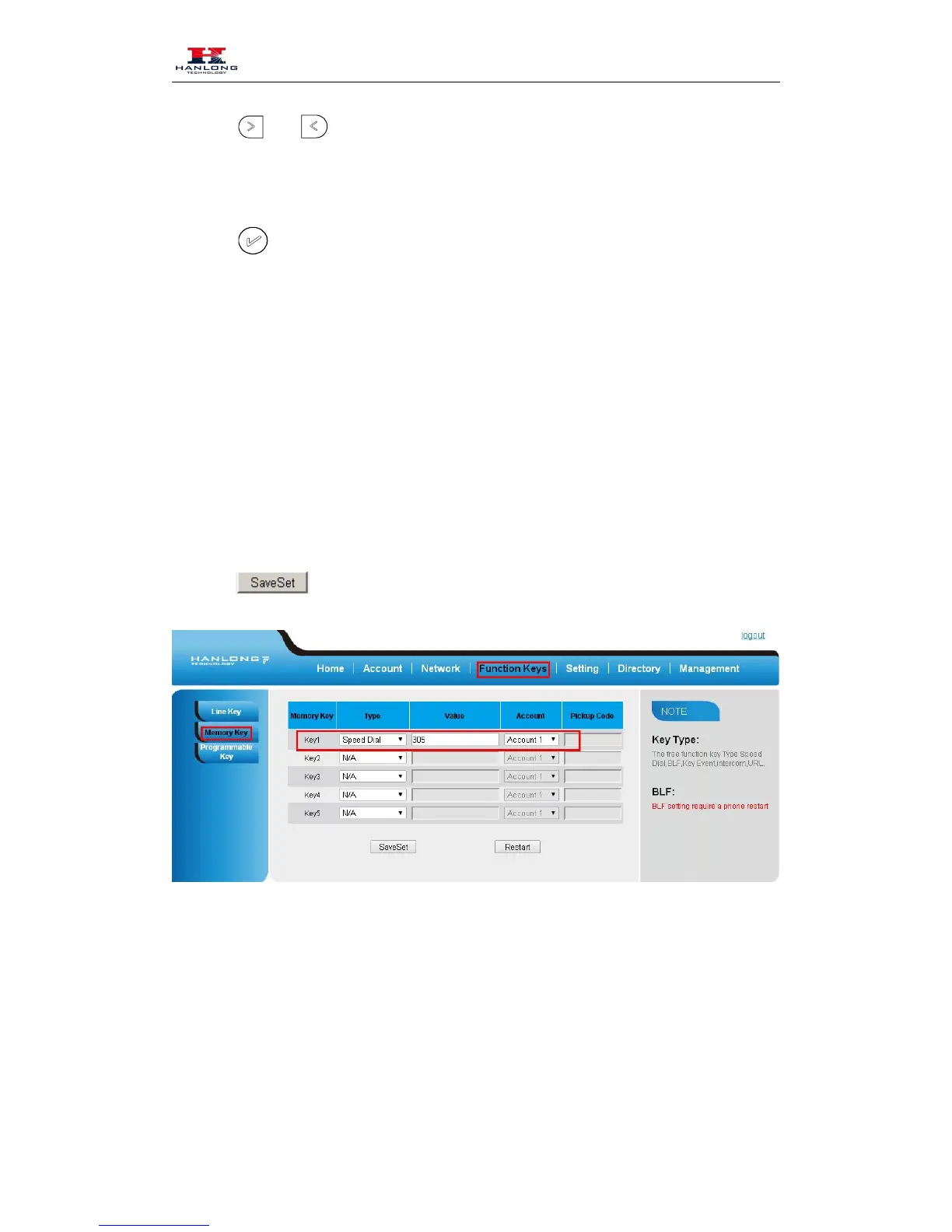
To configure Speed Dial feature via Web Interface
Click Function keys Line or Memory key.
Select the wanted Line or Memory key and set as Speed Dial.
Enter the desired phone number in the Value field.
Select the Account ID
Click the to save the configuration.
BLF
You can use the BLF (Busy Lamp Field) feature to monitor a specific one whether his phone is
busy or free.

113.When the monitored line is idle, the light is steady green.

Table of Contents

Related product manuals