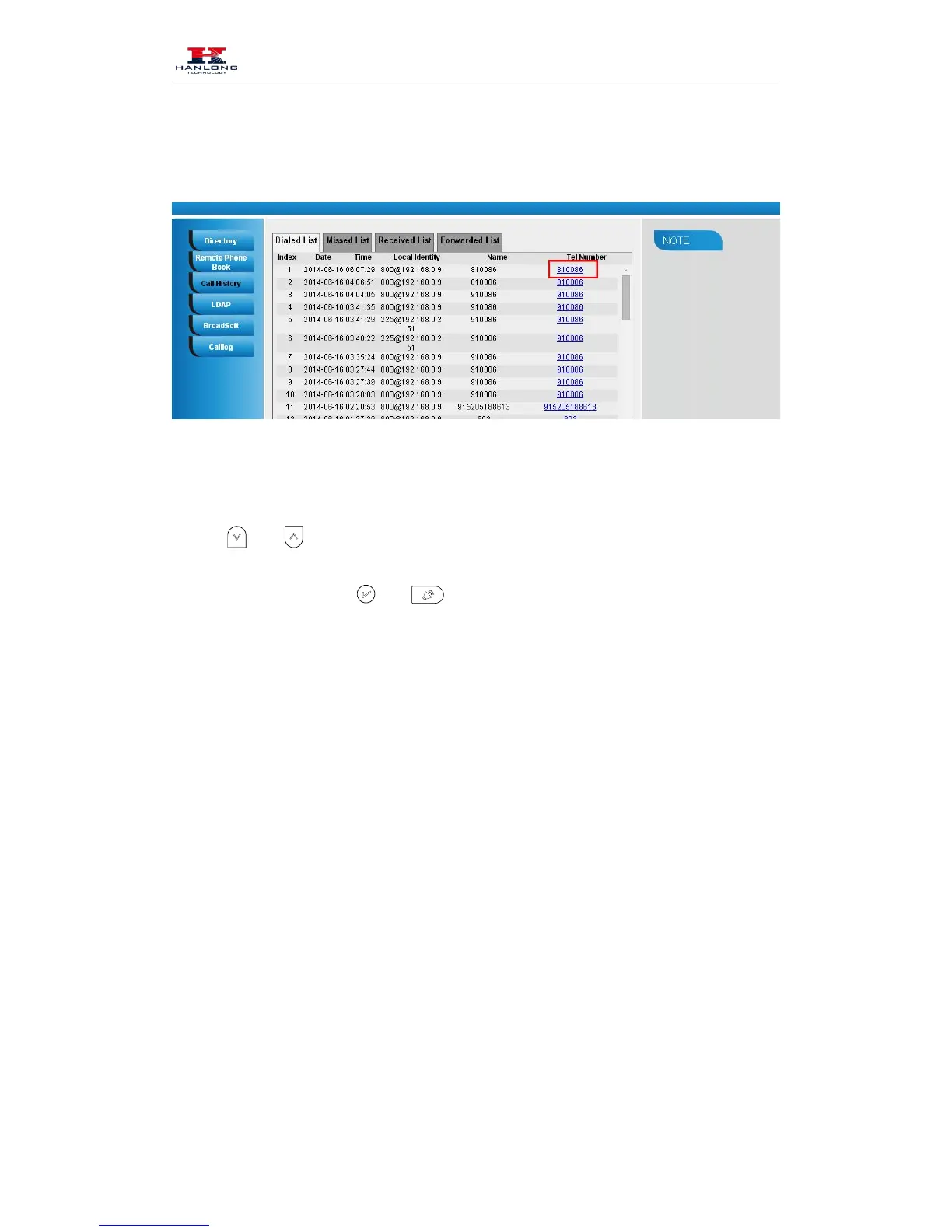
2. Select the desired history item, and click Tel Number.
3. Then the call is dialed on phone.
To Dial a call from Call History via phone interface:
1. Press History soft key or press Menu → History → Local history
2. Press
to select the targeted one.
3. Press the Send soft key, or
, or the corresponding line key.
LDAP Phonebook
When use the LDAP feature, you can get the LDAP Phonebook directly.
To configure LDAP via web interface:
1. Login webpage and click Directory
2. Filled the LDAP Name Filter:
a) This parameter specifies the name attributes for LDAP searching. The “%” symbol in
the filter stands for the entering string used as the prefix of the filter condition.
b) For example (cn=%), when the name prefix of the cn of the contact record matches the
search criteria, the record will be displayed on the IP PHONE LCD.
3. Filled LDAP Number Filter:
This This parameter specifies the number attributes for LDAP searching.
4. Filled Server Address: Fill the domain name or IP address of the LDAP Server.
For example: 192.168.0.124



 To Next Page