21
Amp and Pedal Clones
A Clone is an alternative type of guitar/bass amplifier or
distortion/overdrive/fuzz pedal simulation that allows you to
capture the sound of your own gear and use it inside of
HeadRush Prime. See (4.18) Amp Cloner to learn more
about how to capture your own clones.
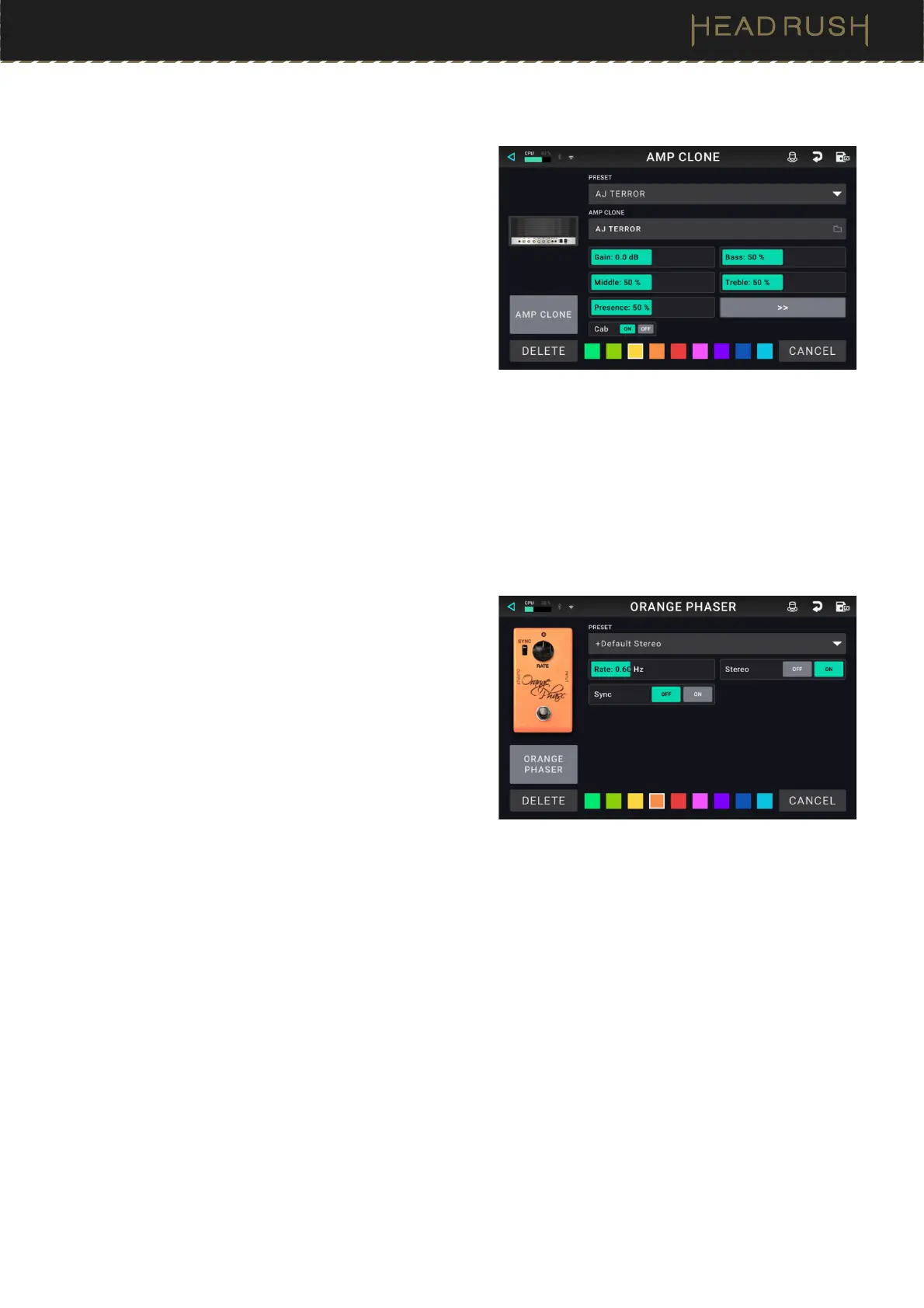
Preset: This is the current Clone preset, which includes
the selected clone, all its settings, and its color
assignment.
Clone File: Tap here to select a previously created or
imported clone from your internal storage.
Clone Settings: After the Clone has been selected, you
can further dial in the clone’s sound by adjusting the
tone stack parameters that appear on screen.
Cab ON/OFF: You can use this setting to disable to
sound of the speaker cab from your Amp & Cab clone,
and instead use an onboard cabinet model or an IR
file.
Effects
There are many types of guitar and vocal effects available
on HeadRush Prime, and their adjustable settings depend
on the type of effect selected.
Preset: This is the current effect preset, which includes
the selected effect, all its settings, and its color
assignment.
Effect Settings: After the effect has been selected, you
can further dial in the effect by adjusting the
parameters that appear on screen.



 To Next Page