57
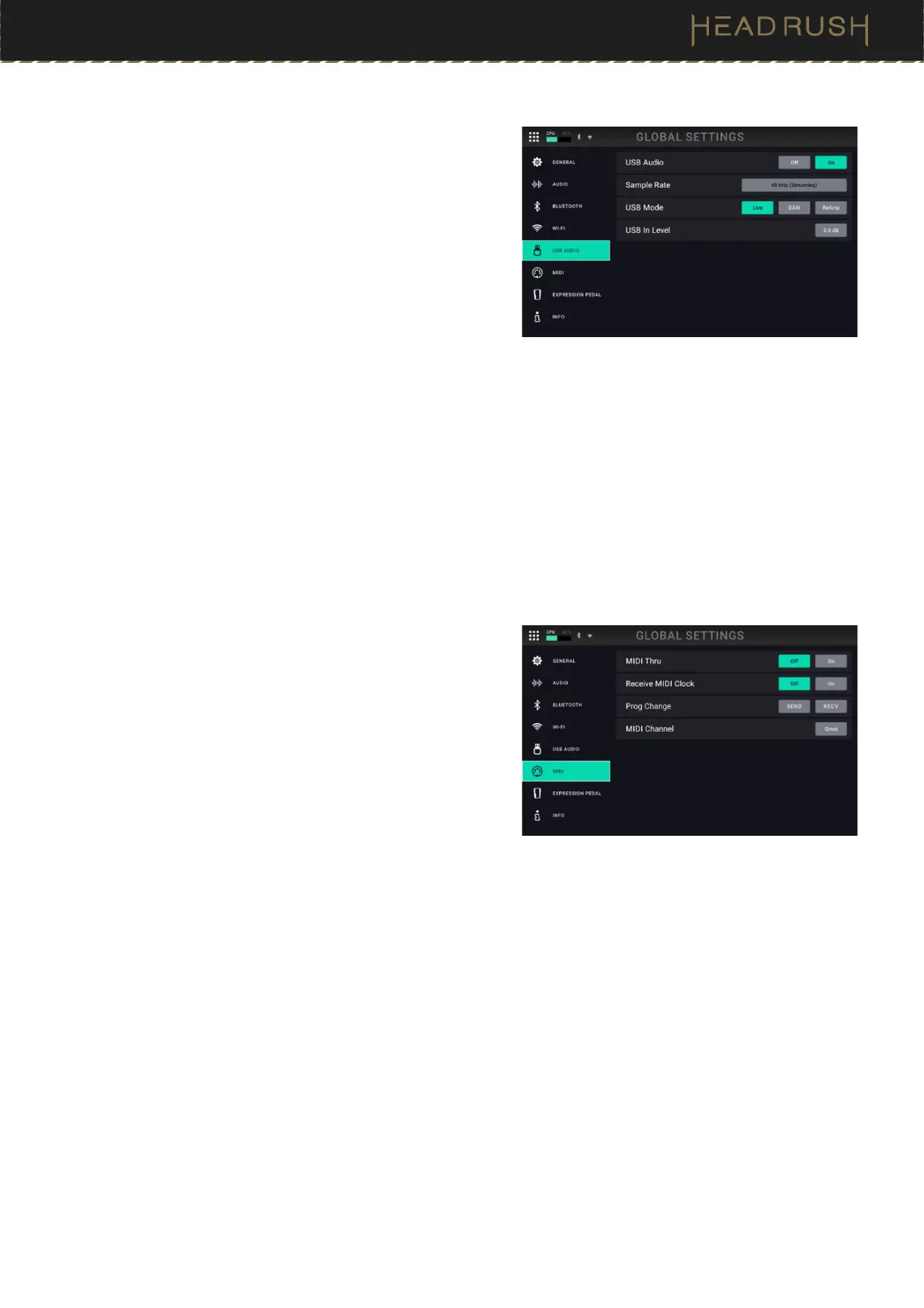
USB Audio Settings
USB Audio: This setting determines whether or not
HeadRush Prime is sending a USB audio signal over a
USB connection. Tap On to enable sending of the USB
audio signal with the selected Sample Rate. Tap Off to
disable the USB audio signal. To change the Sample
Rate, set USB Audio to Off first, select the correct
sample rate, set USB Audio to On again, and restart your
DAW.
Sample Rate: This setting determines the sample rate of the
USB audio signal: 44.1 kHz, 48.0 kHz, or 96.0 kHz.
Remember to select the same sample rate as the one in
your DAW. Also, set it before opening your DAW.
USB Mode: This setting determines what audio signal HeadRush Prime sends over the USB connection and
how its outputs function while doing so:
• Live: The audio signal will be sent to your computer as well as to HeadRush Prime’s outputs.
• DAW: The audio signal will be sent to your computer only. HeadRush Prime’s outputs will be disabled
to prevent any latency while monitoring.
• Reamp: Your computer will send an audio signal to HeadRush Prime, which will process it through the
current rig and send it back to your computer. HeadRush Prime’s outputs will be disabled to prevent
any latency while monitoring. See (4.16.3) USB > Reamping to learn how to configure your DAW for
this process.
MIDI Settings
These settings determine how HeadRush Prime sends and
receives MIDI information to and from external devices. These
settings affect only HeadRush Prime’s MIDI Input and MIDI
Output.
MIDI Thru: Tap On to use the MIDI Output as a MIDI
throughput; any MIDI information sent to HeadRush
Prime’s MIDI Input will be sent directly to the MIDI
Output. Tap Off to use HeadRush Prime’s MIDI output
normally; HeadRush Prime will be able to send its own
MIDI information out of the MIDI output.
Recv MIDI Clock
: Tap On to enable HeadRush Prime to
receive MIDI clock information. Tap Off to use HeadRush
Prime’s own internal MIDI clock (which will not be sent
out).
Prog Change: Tap Send to enable or disable HeadRush Prime’s transmission of MIDI program change
messages when you press the upper-left (Rig ) or lower-left (Rig ) switch. Tap Recv to enable or disable
HeadRush Prime’s reception of MIDI program change messages from an external MIDI device.
MIDI Channel: This setting determines the MIDI channel(s) that HeadRush Prime will send and receive MIDI
messages. Tap this field, turn the encoder to select all channels (Omni), or 1–16, and then press the encoder.



 To Next Page