21
will be overstepped it will decrease the life time of purification cartridge. the manufacture
setting is 20us/cm, the user can press “Disp./▲,Flush/▼” keypad to adjusting according to
the user desire. Press the “Stop/ ” keypad to confirms the setting and switches to the next
menu level
If this value is set too large, then the performance and lifetime of the ultrapure water
purification cartridge will be affected.
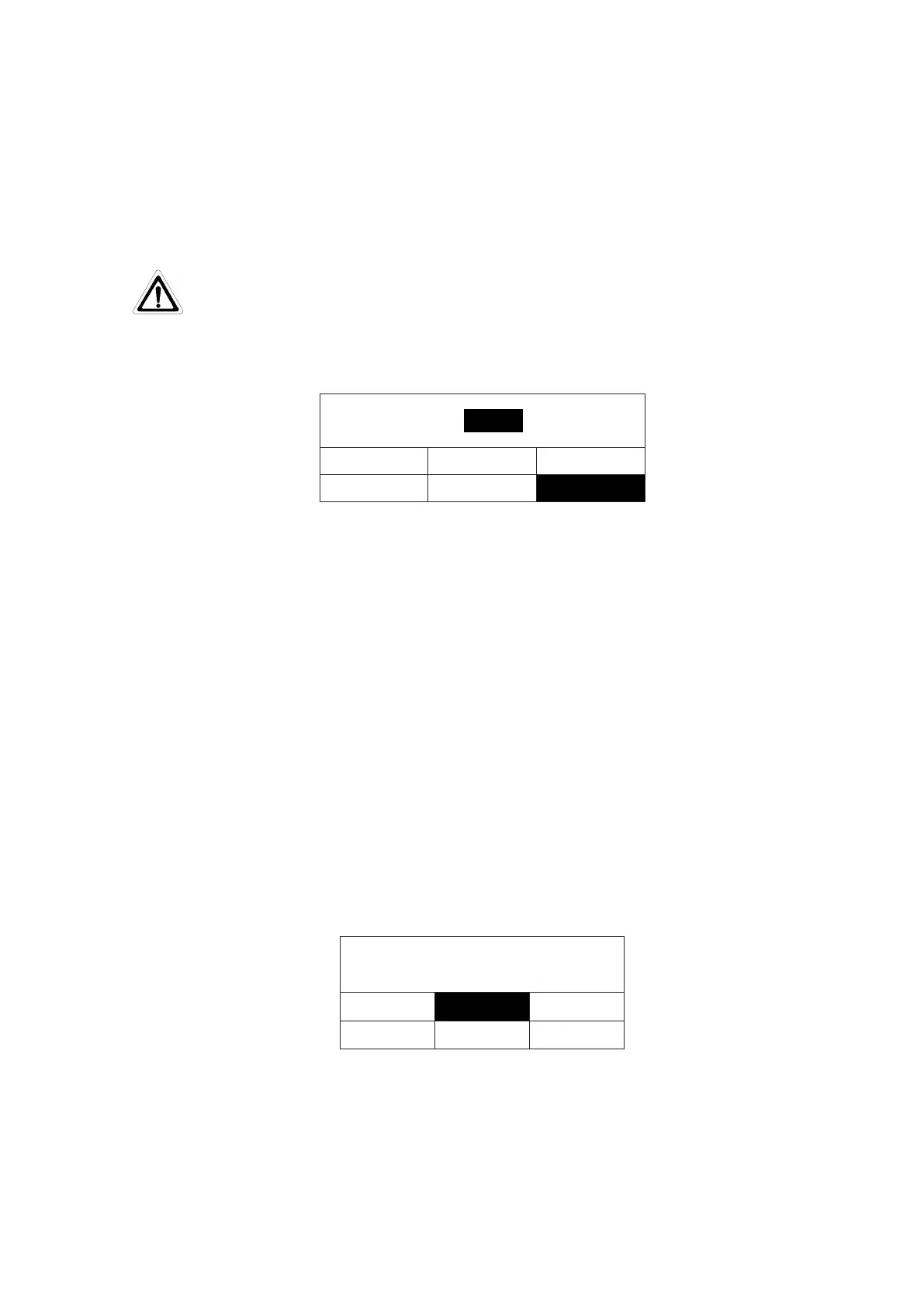
Alarm settings for reverse osmosis desalting rate
LCD display is as follows:
PF life
UV life
MF life
DS
DS
90
RO
Feed
Alarm-L
:
%
The limit of the desalting rate of the RO membrane can be adjusted by the user. The
display of the system shows the alarm message “Ds light” if the adjusted limit will be
overstepped (manufacture’s setting is 90%). press “Disp./▲,Flush/▼”keypad to increases or
decreases the value, press the Stop/
” keypad to confirm the setting and switches to the next
menu level.
This value should not be set too low, otherwise the pure water quality will be affected. If
the quality of inlet water is too poor, Please set high value for higher pure water requirement.
Value setting range: 50 to 99.
5.6.2 Calendar setting
After entering the parameter setting menu, press “Disp./▲”或“Flush/▼”keypad to
select the "Calendar" function. White on black means it has been selected.
calendar setting
alarm setting
calendar setting
volume of water
prod.resis.
prod.unit
disp. flow
In this menu level the user want to change the timer in maim system ,you can be press
the “Disp./▲,Flush/▼”keypad to set the correct date and time according to the mention of
the display. Press the “Stop /
” keypad to confirms the setting and switches to the next menu


 To Next Page