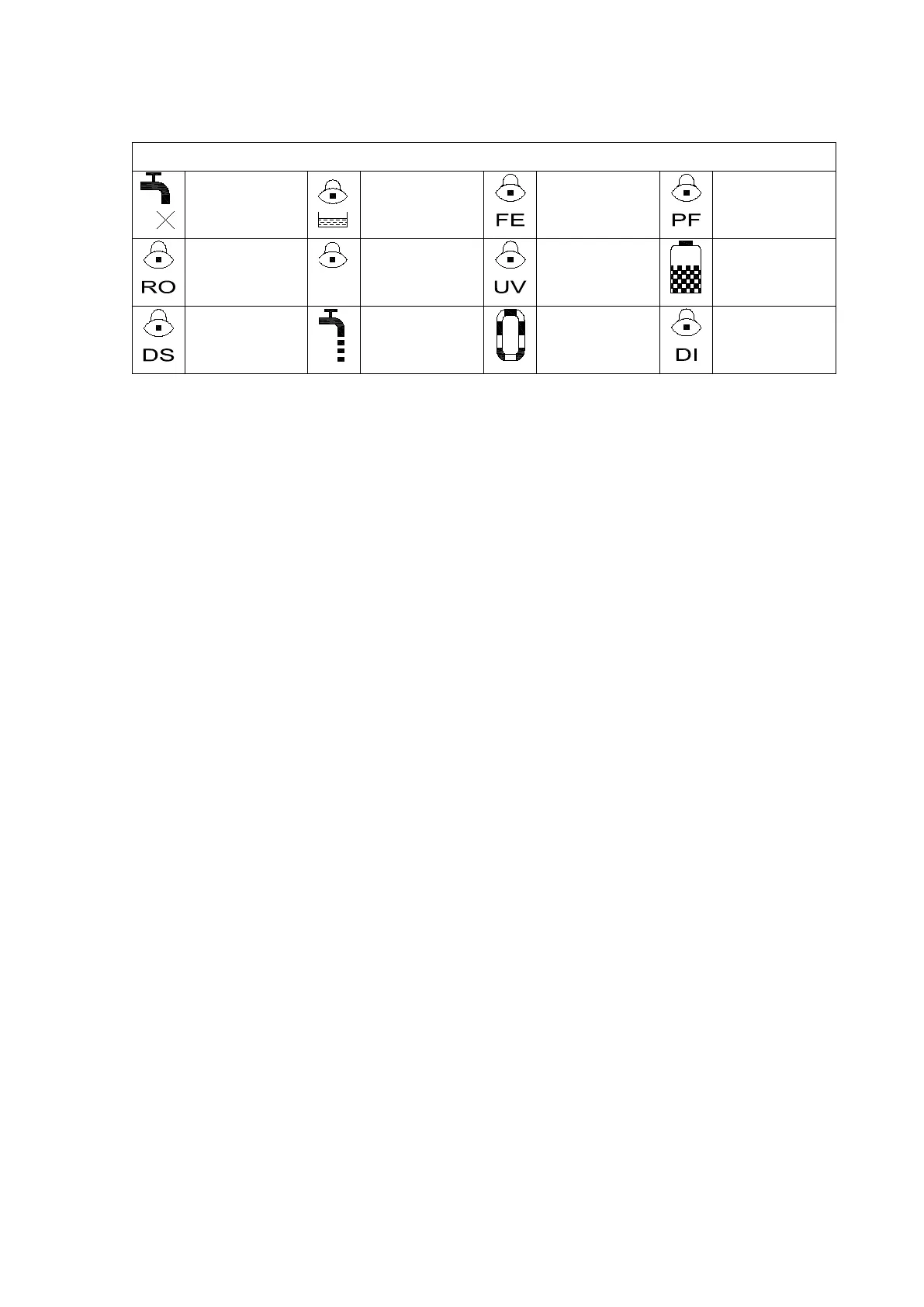
15
Purification
cartridge failure
5.4 Function Keypad
There are 4 function keypads in Smart-Mini system: disp./
▲
, Flush/
▼
, Stop/ and
Menu
Disp./
▲
Dispense product water keypad at the operation, it will be become
adjusting keypad at the menu mode.
Flush/
▼
RO cartridge flush keypad at the operation, it will be become adjusting
keypad at the menu mode.
Stop/
Stopping water dispensing or flushing at the operation, it will be become
confirmation keypad at the menu mode. press the button to stop the water
producing or flushing process. After entering the settings menu it becomes the
confirmation keypad.
Menu Parameter setting keypad.
5.5 Operation
Turn on feed water supply. Ensure that all the pipe connecting parts have no leaking.
Switch on the power supply at the back of the main unit.
After the main unit is powered on, LCD will display a welcome message, which is
followed by the current state of the system. The system will remain in flushing status about 3
minute. As shown below:


 To Next Page