99Using the HeartWare® Monitor
10
9
8
7
6
5
4
3
2
1
Appendix
Reference
Guides
Alarms and
Emergencies
Patient
Management
Surgical
Implant and
Explant
Monitor
Peripherals
and
Accessories
HVAD
®
PumpOverviewIntroduction
5.3 System Screens (continued)
Alarm Settings Tab (continued)
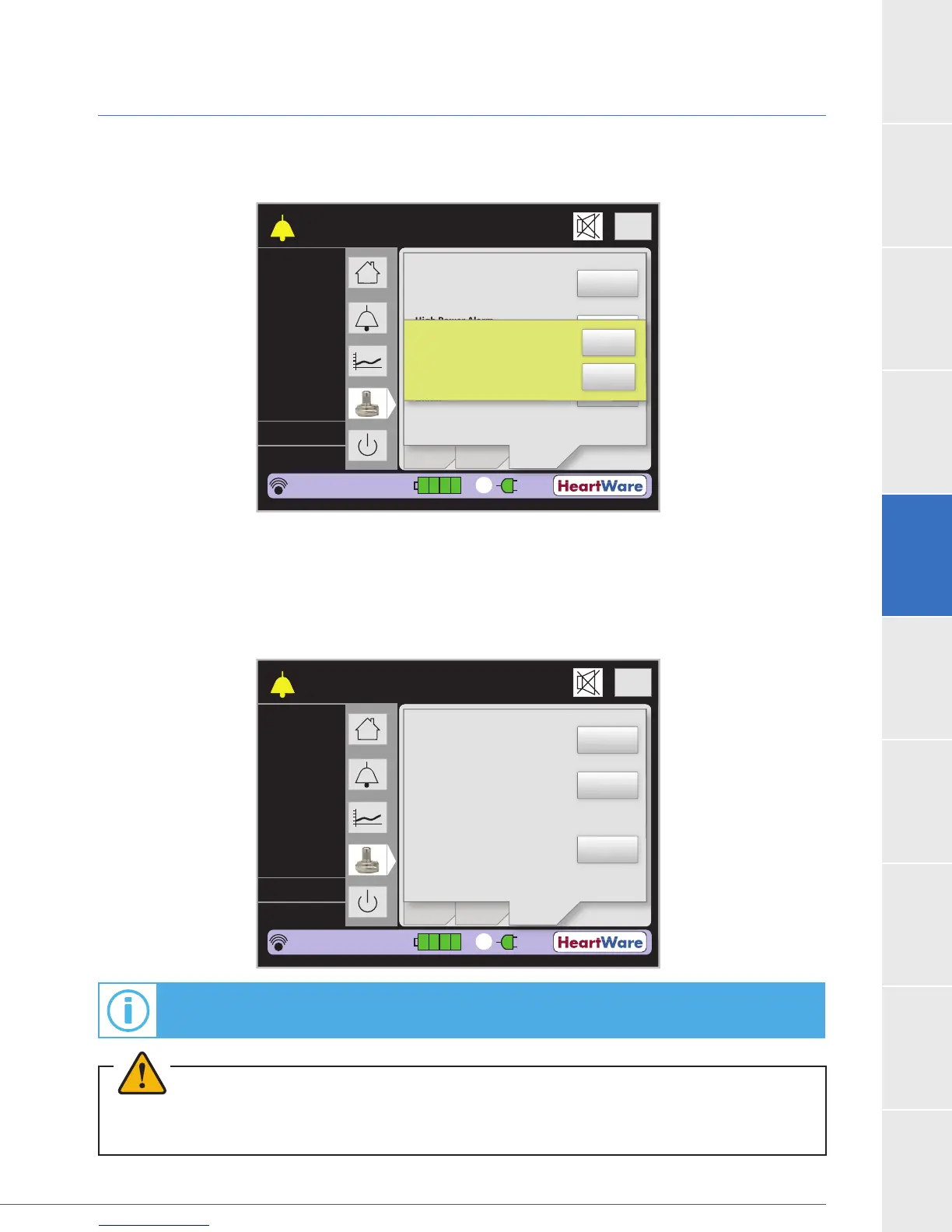
Figure 84: Permanently Silence [Controller Fault] Dialogue Box
The “Electrical Fault Audio” button appears during a medium priority [Electrical Fault] alarm
(Figure 85). The “Electrical Fault Audio” button can be used to permanently silence an [Electrical
Fault] alarm. However, the controller and monitor will continue to display the [Electrical Fault]
alarm until the condition resolves.
Figure 85: “Electrical Fault Audio” Button
Flow (L/min)
Time (s)
Logout
8
6
4
2
0
Speed/
Control
CONTROLLER FAULT
Call: ALARMS OFF
S
ee
/
n
r
l
Low Flow Alarm
Limit (L/min):
High Power Alarm
Limit (Watts):
Controller Fault
Audio:
Setup
Alarm
Settings
2
5.4
2500
5.0
L/min
RPM
Watts
Fixed
Sx Off
HW1234567
POD: 0
00:01:31
1
1.0
16.0
ON
Permanently silence
existing controller
fault alarm?
Yes
No
Flow (L/min)
Time (s)
Logout
8
6
4
2
0
Speed/
Control
ELECTRICAL FAULT
Call
S
ee
/
n
r
l
Low Flow Alarm
Limit (L/min):
High Power Alarm
Limit (Watts):
Electrical Fault
Audio:
Setup
Alarm
Settings
2
5.4
2500
5.0
L/min
RPM
Watts
Fixed
Sx Off
HW1234567
POD: 0
00:01:31
1
1.0
16.0
ON
For additional information on alarms, see Section 8.1.
WARNING! ALWAYS investigate, and if possible, correct the cause of any alarm. Silencing an alarm does
not resolve the alarm condition.



 To Next Page